TR7 GNSS System User Manual
16
www.titanposition.com
2.2.6 Setting interface
Table 2.5 Instructions for setting interface
Function Button operation Contents
Close/open
OLED screen
Double-click
Power button
Select menu item
Single-click
Fn
Click the Fn button and the selection box will
automatically jump to the next option.
Conrmation
Single-click
Power button
Click the power button to conrm the menu content of
the current selection box and enter the lower menu.
Show/close the initial interface
Double-click
Power button
Display current receiver operating mode, satellite
information, PDOP, and other information
Single-click
Fn
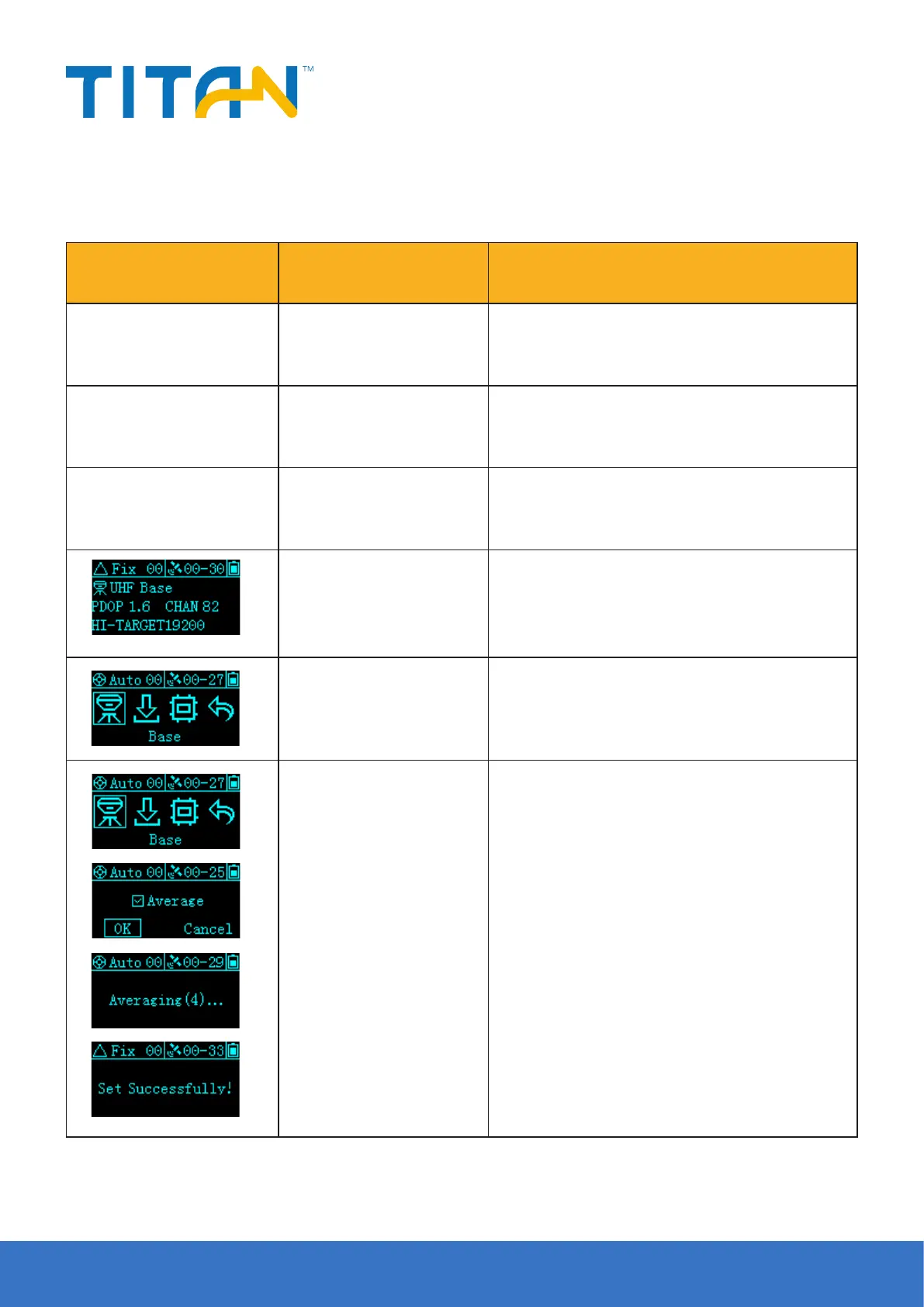
In RTK mode, from left to right, it means:
Base station, static, reset, return
Smooth base station
Click the Fn button to select
the base station, then click the
power button to conrm
Enter the base station setting interface, the screen can
choose smooth acquisition, select smooth, the host
automatically smoothes the 10 point coordinates and
sets the station and transmits it with RTCM3.2 dierential
message; if no smoothing is selected, the host sets the
coordinates once.



 To Next Page