TR7 GNSS System User Manual
21
www.titanposition.com
2.3.2 Information View
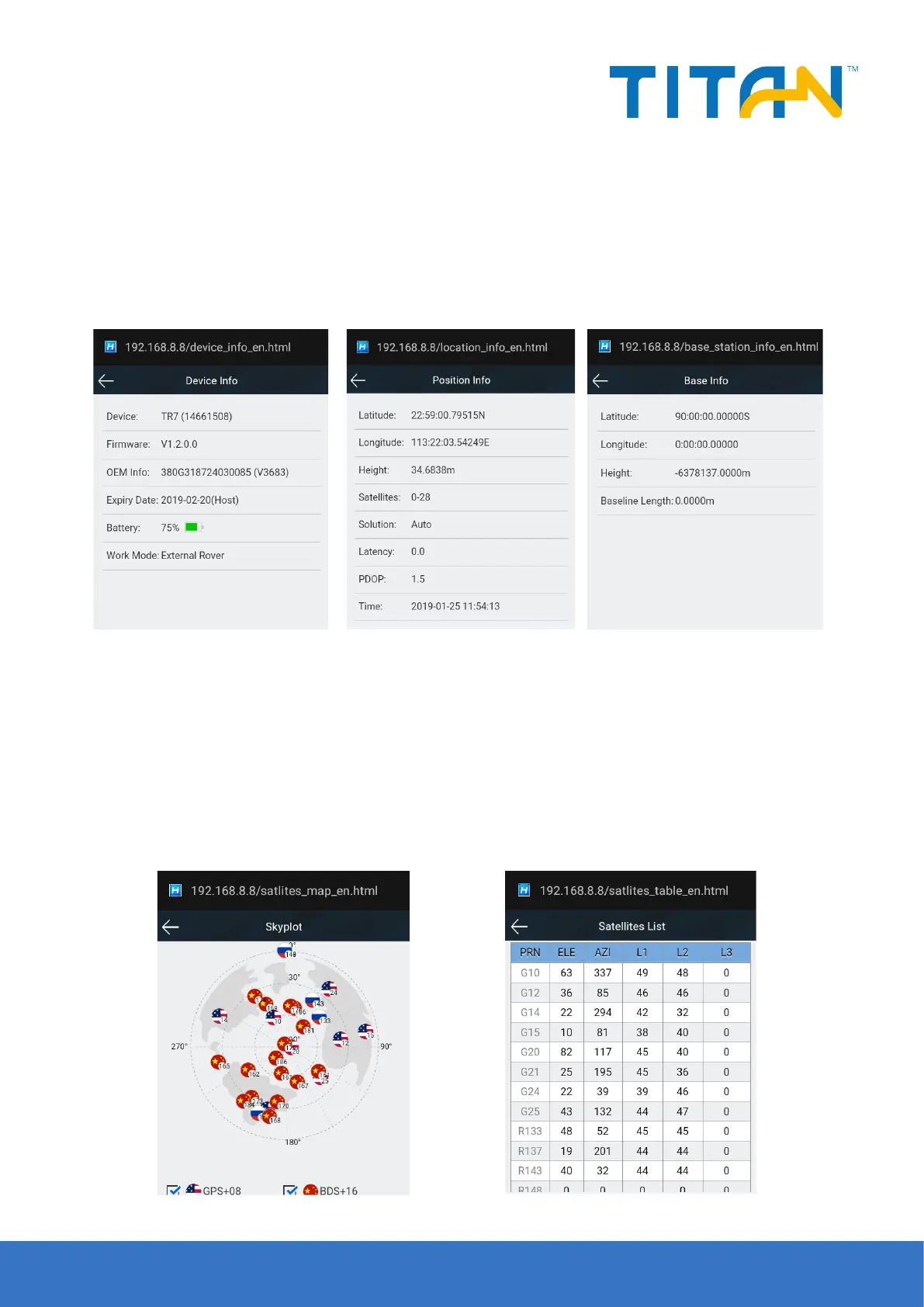
- Equipment information
Displays the main information of the current device: device model, serial number, firmware version,
motherboard information, expiration date, power, working mode, and conguration parameters.
- Location information
Displays the current device location information, satellite status, solution status, dierential age and PDOP, real
time.
Figure 2-13
Figure 2-16 Sky Plot Figure 2-17 Satellite tracking list
Figure 2-14 Figure 2-15
- Base station information
The coordinates and horizontal distance of base station displayed in rover.
- Satellite sky map
A visual satellite starry map of the display device, with an auxiliary switch to view the distribution of each
satellite.
- Satellite tracking list
Display the tracked satellite information in a list.


 To Next Page