TR7 GNSS System User Manual
27
www.titanposition.com
2.5 Dynamic RTK surveying
2.5.1 Base setting
The dynamic RTK surveying can be in the radio mode (internal radio, external radio) and network mode
depending on how the dierential signal is transmitted.
- Erection
The receiver is located at a stable known or unknown point. In order for the receiver to be able to search for
a large number of satellites and high quality satellites, the base station should generally be wide open in the
surrounding area, avoiding huge buildings and slabs at locations with elevation angles greater than 15 degrees,
keeping away from strong signal reections such as houses, hillsides, and large-area water surfaces, keeping
away from high-power equipment (high-voltage lines, radio stations, transformers, etc.). Meanwhile, in order to
make the dierential signal spread farther, the base station should generally be placed at a high position.
- Device Connection
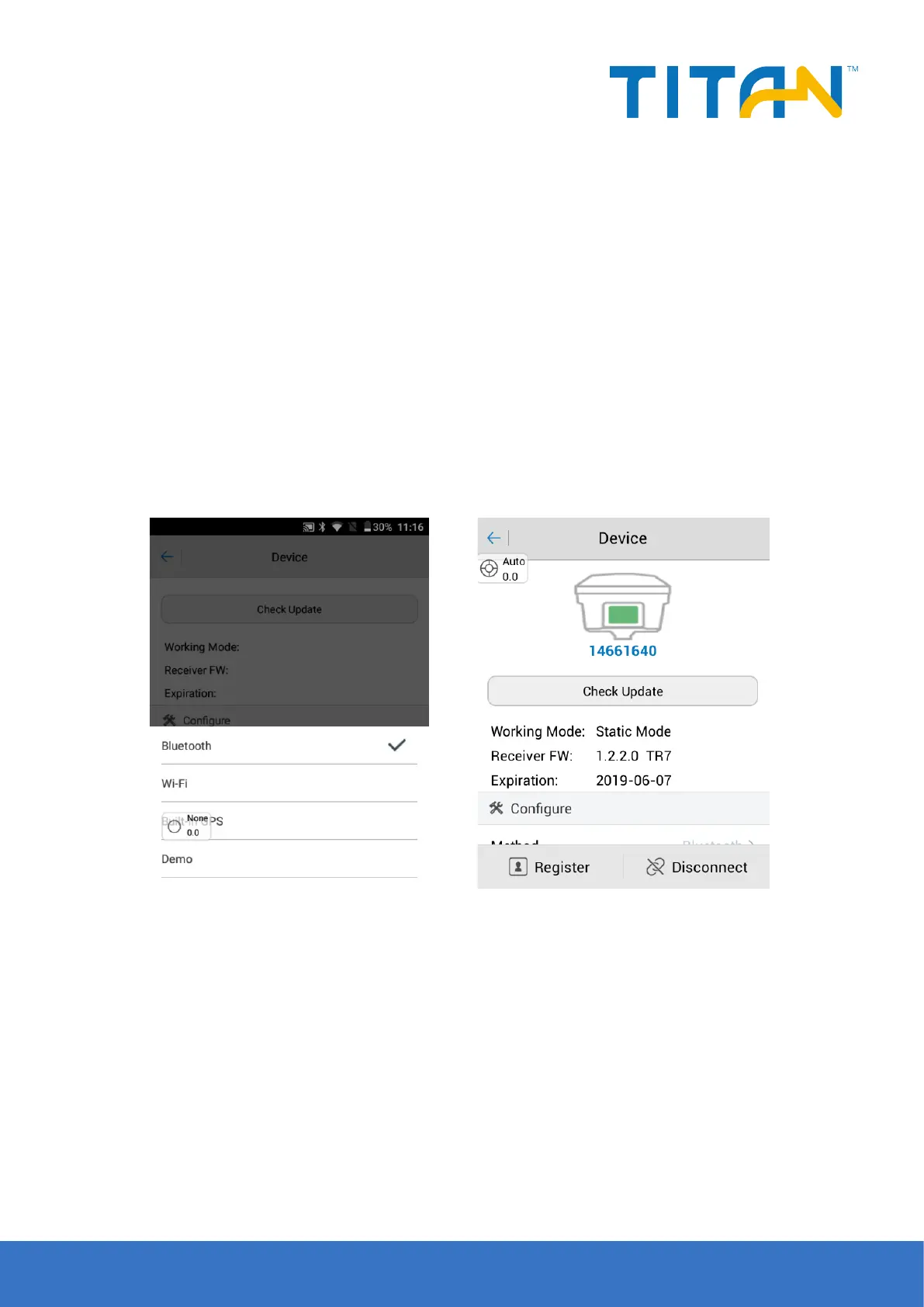
Strat the TSI software on thecontroller and enter the Device interface, generally using Bluetooth or WiFi.
Figure 2-37 Figure 2-38
2.5.2 Base station parameters setting
The base station parameters include setting the base target height, base station coordinates, operating mode
and corresponding parameters, message format, altitude angle, etc. After completing the relevant parameter
editing, click the Set in the upper right corner, and the software prompts Set.
2.5.3 Rover setting
The rover settings are basically the same as the base station, mainly includes operating mode settings, altitude
angle, etc. The dierence is that the rover operating mode increases the data collector internet.


 To Next Page