TR7 GNSS System User Manual
18
www.titanposition.com
Notice:
1.OLED screen without any operation for more than 60s, enter the standby interface, the
standby interface shows the host power and local time (such as the instrument does not lock the
satellite, only display the power, the time is displayed as: -----), after 5 minutes standby OLED The
screen is closed, and the OLED screen display can be re-awakened by double-clicking the power
button, and the state interface is returned after waking up; when the OLED screen is already lit,
double-clicking the power button can turn o the OLED screen display.
2. After the registration code expires, the base station setting function of the setting interface is
not available. When the customer operates the base station after the registration code expires, the
“registration code expired” is displayed. Click “Back” to return to the setting interface, and no station
operation is performed. Other functions: Static, reset function is available.
2.3 Web Management System
TR7 has a built-in WEB management system that allows real-time monitoring and free conguration of the host.
The name of the receiver WiFi hotspot is the instrument Serial Number. Connect the hotspot via the controller
WiFi (no password required), and enter the IP address 192.168.20.1 in the controller browser to log in.
Note: The host can be connected to the WiFi in the Bluetooth idle state. , for WEB login)
2.3.1 Main Menu
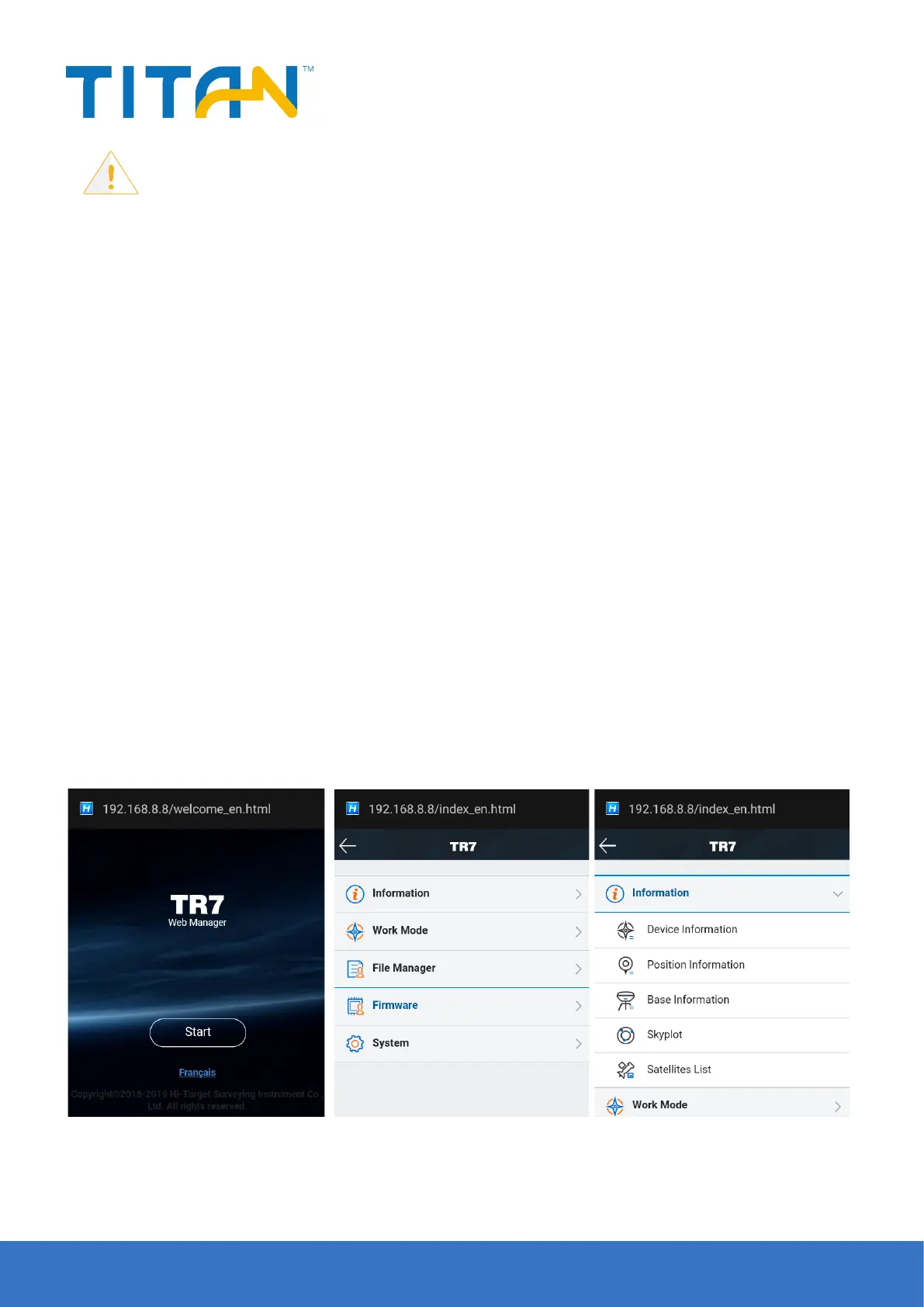
After logging in to the WEB management system, click Start to enter the main menu page. Each column of the
main menu contains a drop-down menu.
Figure 2-6 Figure 2-7 Figure 2-8


 To Next Page