TR7 GNSS System User Manual
37
www.titanposition.com
3, Align the side of the battery with the metal piece down on the battery compartment and push it in gently (the
battery installation is completed).
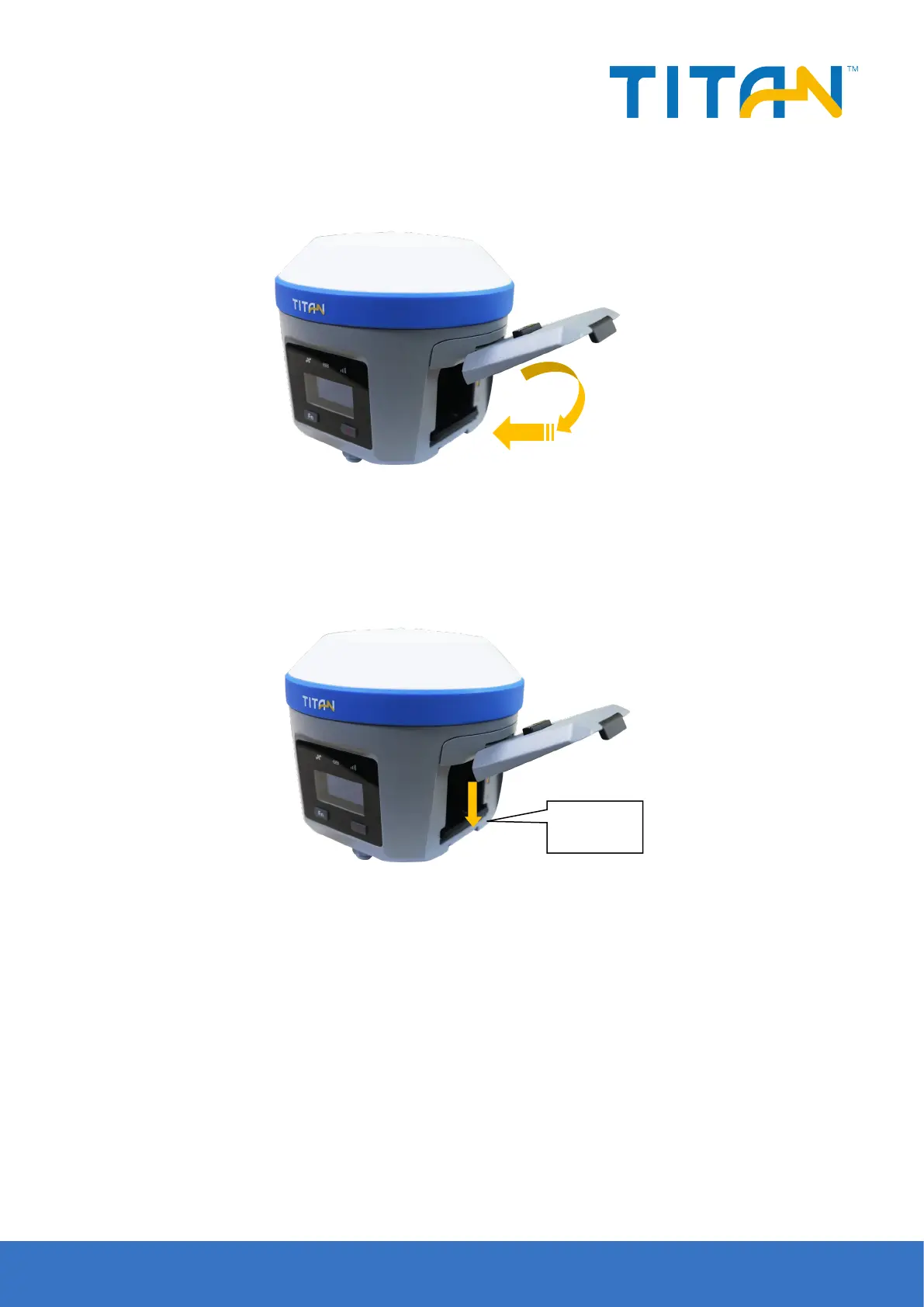
- Remove
Gently press the battery lever, the battery will automatically pop up, pour out the battery, and complete the
battery unloading.
Figure 4-11 Steps of unload the battery
Figure 4-12 Steps of unload the battery
- Battery and charger model
Battery: The host is equipped with the 6800mAh/7.4V intelligent lithium battery, with a power indicator function
.


 To Next Page