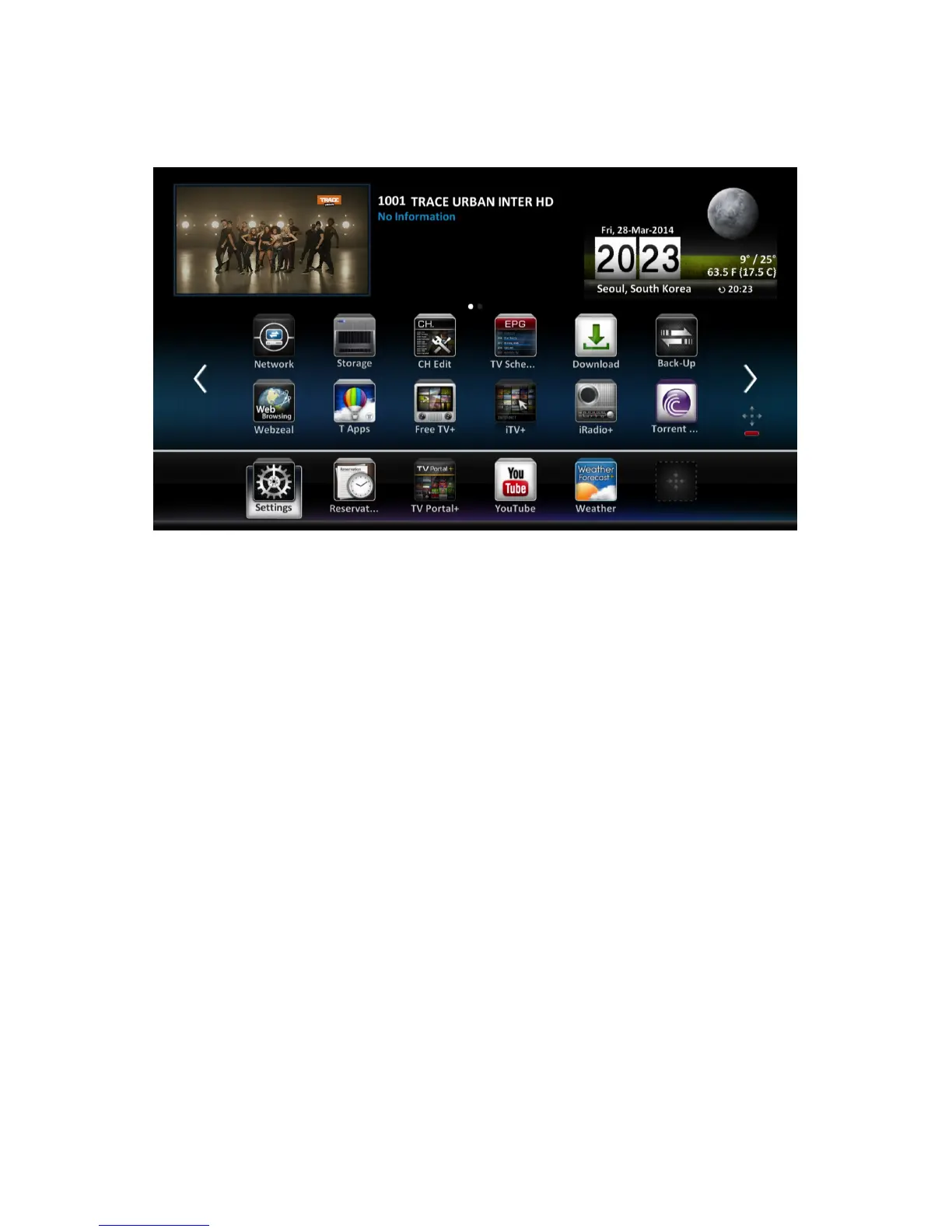
1.5 The Apps Screen
Pressing the Menu button displays app icons at the bottom of the screen. To
view more apps, press the up navigation button.
To access the customary menus, select Settings. Some apps allow users to
quickly access frequently-used setting menus and functions.
• Back-Up: See Maintaining the Digital TV Receiver on page 57.
• CH Edit: See Managing Channels on page 33.
• Download: See Updating the Digital TV Receiver on page 58.
• TV Schedule: See TV Programme Guide on page 29.
• T Air: See Accessing Other Devices on page 44.
• T Server: See Allowing Other Devices to Access the Receiver on page 45.
• Movie: See Playing Media Files on page 40.
• Music: See Playing Media Files on page 40.
• Network: See Network Settings on page 54.
• Photos: See Playing Media Files on page 40.
• Recordings: See Playing Media Files on page 40.
• Reservation: See Manually Scheduling TV Recordings on page 37.
• Storage: See Managing Storage Devices on page 40.
12 I



 To Next Page