2 Installation
Before you start:
භ Make sure the device in the package is in good condition and all the assembly parts
are included.
භ The standard power supply is 12V DC or 24V AC, please make sure your power
supply matches with your speed dome.
භ Make sure all the related equipment is power-off during the installation.
භ Check the specification of the products for the installation environment.
භ Make sure that the wall is strong enough to withstand four times the weight of the
speed dome and the bracket.
For the speed dome that supports IR, you are required to pay attention to the following
precautions to prevent IR reflection:
භ Dust or grease on the dome cover will cause IR reflection. Please do not remove the
dome cover film until the installation is finished. If there is dust or grease on the
dome cover, clean the dome cover with clean soft cloth and isopropyl alcohol.
භ Make sure that there is no reflective surface too close to the lens. The IR light from
the speed dome may reflect back into the lens causing reflection.
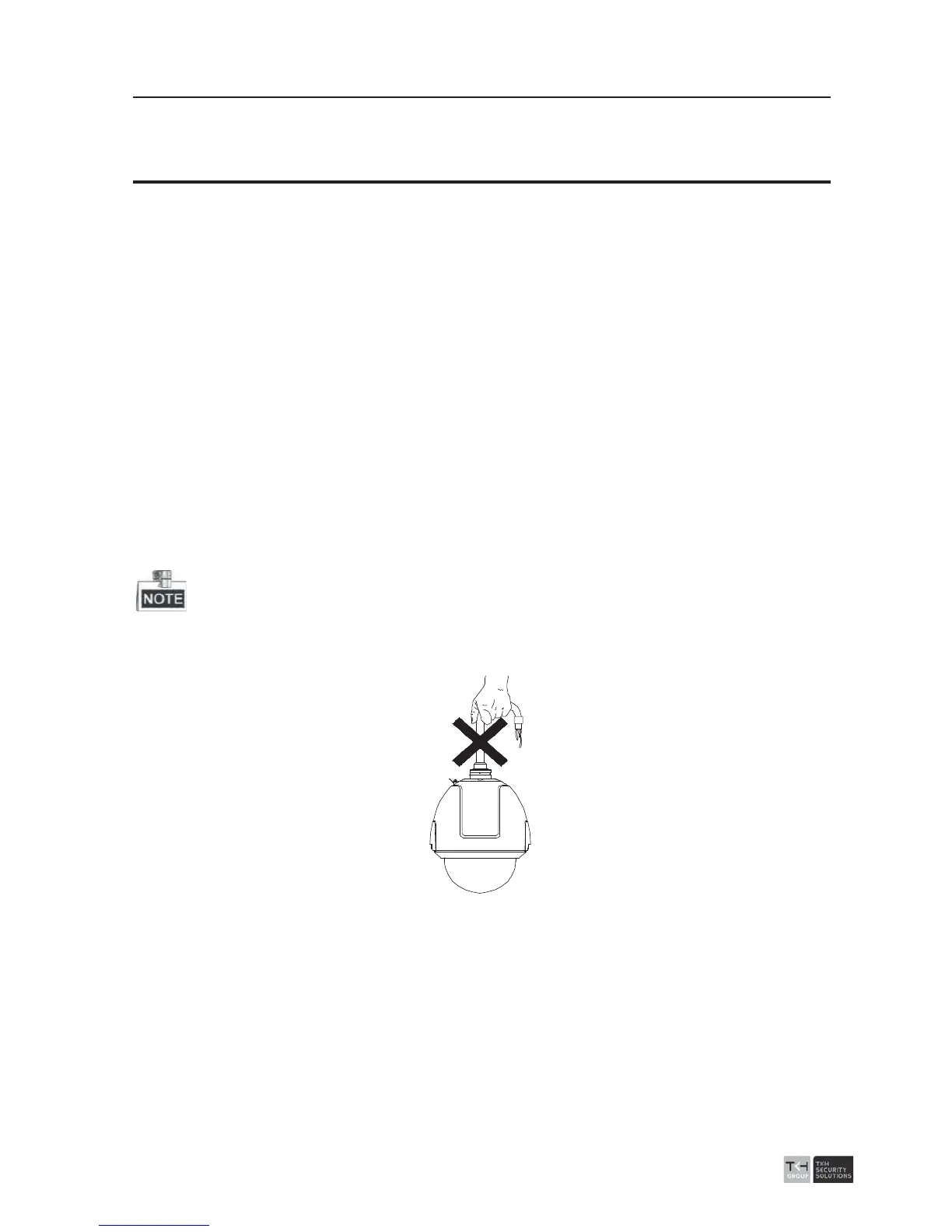
Do not drag th
e speed dome with its waterproof cables as shown in Figure 2-1,
otherwise the waterproof performance is affected.
Figure 2-1 Do Not Drag the Cables
2.1 Wall Mounting
Before you start:
Please turn off the power of the speed dome before connecting the cables.



 To Next Page