3 Setting the Dome over the LAN
z You shall acknowledge that the use of the product with Internet access might be
under network security risks. For avoidance of any network attacks and
information leakage, please strengthen your own protection. If the product does
not work properly, please contact with your dealer or the nearest service center.
z To ensure the network security of the speed dome, we recommend you to have
the speed dome assessed and maintained termly. You can contact us if you need
such service.
3.1 Wiring
To view and configure the speed dome via LAN (Local Area Network), you need to
connect the network speed dome in the same subnet with your PC. Then, install the
software or client software to search and change the IP of network speed dome.
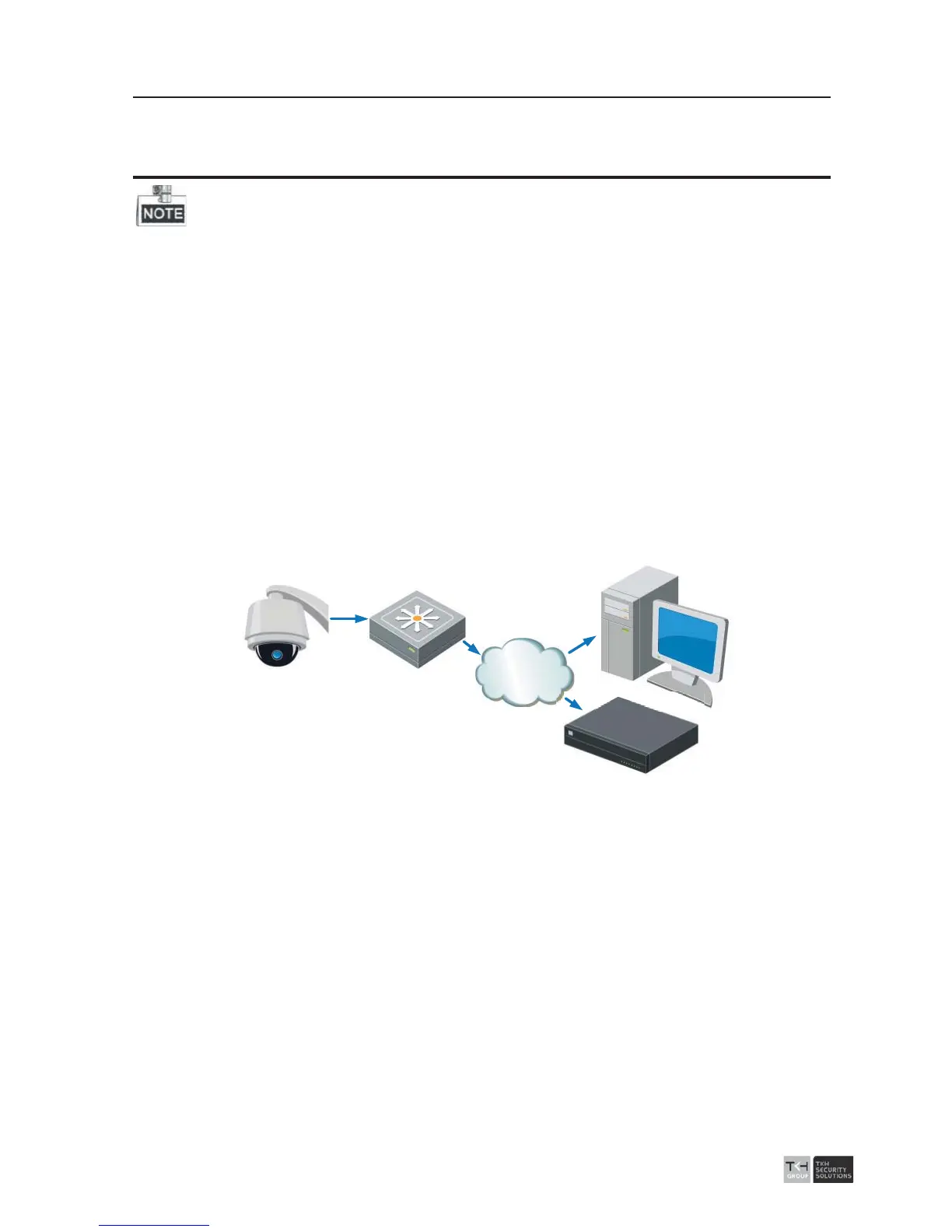
z The following figure shows the cable connection of network speed dome.
Network
Speed Dome
Switch
Internet
NVR
PC
Figure
3-1 Wiring over LAN
3.2 Activating the Speed Dome
Purpose:
You are required to activate the speed dome first by setting a strong password for it
before you can use the speed dome.
Activation via Web Browser, Activation via software, and Activation via client software
are supported. In the following sections, activation via web browser and software will be
taken as examples.



 To Next Page