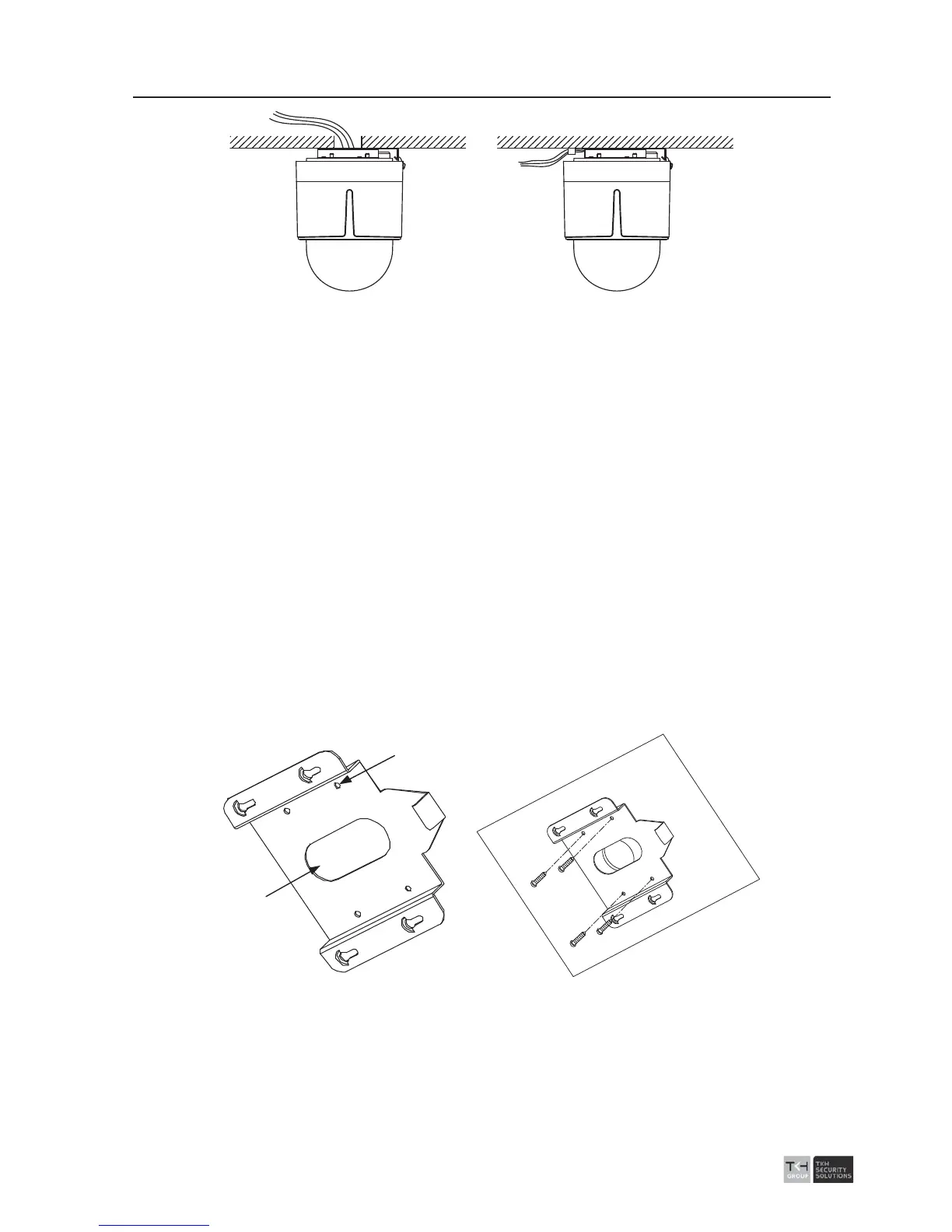
Figure
2-39 Cabling for Ceiling Mounting
2.3.3 Mounting
Before you start:
z If the speed dome is installed to the wooden wall, use the self-tapping screws to
secure the mounting base.
z If the dome is installed to the cement wall, drill three Ɍ5 screw holes onto the wall
according to the position of the holes, and then secure the mounting base to the wall
with expansion screws.
Steps:
1. Rotate the lower dome counterclockwise to separate it from the back box. Refer to
the Figure 2-32.
3. Remove the protective lens cover, foam and sticker from the dome drive.
4. Attach lower dome to the back box, and rotate clockwise to secure it.
5. Use the mounting base as a template to mark four screw holes onto the ceiling.
6. If you route cables from the top of the back box, mark the cable hole on the ceiling
and drill a hole.
7. Secure the mounting base to the ceiling with set screws.
Screw Holes
Cable Hole
Figure
2-40 Secure the Mounting Base
8. Install the speed dome to the mounting base.
1). Route the cables for the speed dome. Align the bottom of the speed dome with
the mounting base.
2). Line up the direction of arrow with the spring end of the mounting base.



 To Next Page