3.2.1 Activation via Web Browser
Steps:
1. Power on the speed dome, and connect the speed dome to the network.
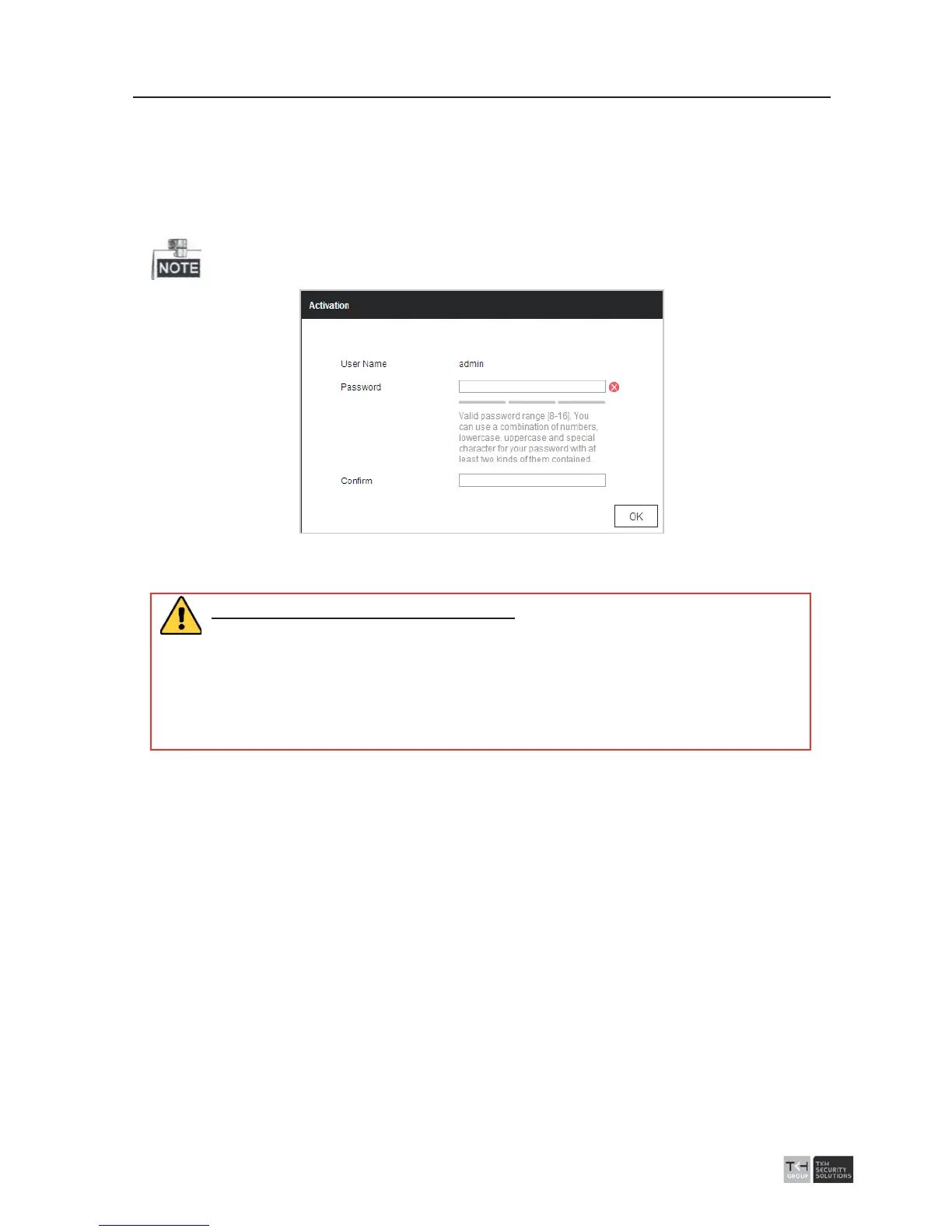
2. Input the IP address into the address bar of the web browser, and click Enter to enter
the activation interface.
The default IP address of the speed dome is 192.168.1.64.
Figure 3-2 Activation Interface(Web)
3. Create a password and input the password into the password field.
STRONG PASSWORD RECOMMENDED
– We highly recommend you create a
strong password of your own choosing (using a minimum of 8 characters,
including at least three of the following categories: upper case letters, lower
case letters, numbers, and special characters) in order to increase the
security of your product. And we recommend you reset your password
regularly, especially in the high security system, resetting the password
monthly or weekly can better protect your product.
4. Confirm the password.
5. Click OK to activate the speed dome and enter the live view interface.
3.2.2 Activation via the Software
The software is used for detecting the online device, activating the device, and resetting
the password.
Get the software from the supplied disk or the official website, and install the software
according to the prompts. Follow the steps to activate the speed dome.
Steps:
1. Run the software to search the online devices.
2. Check the device status from the device list, and select an inactive device.



 To Next Page