2.3.1 Removing the In-ceiling Bracket
The ceiling mounting speed dome is installed with an in-ceiling bracket by default.
Before you mount the speed dome on the ceiling, you need to remove the in-ceiling
bracket first.
Steps:
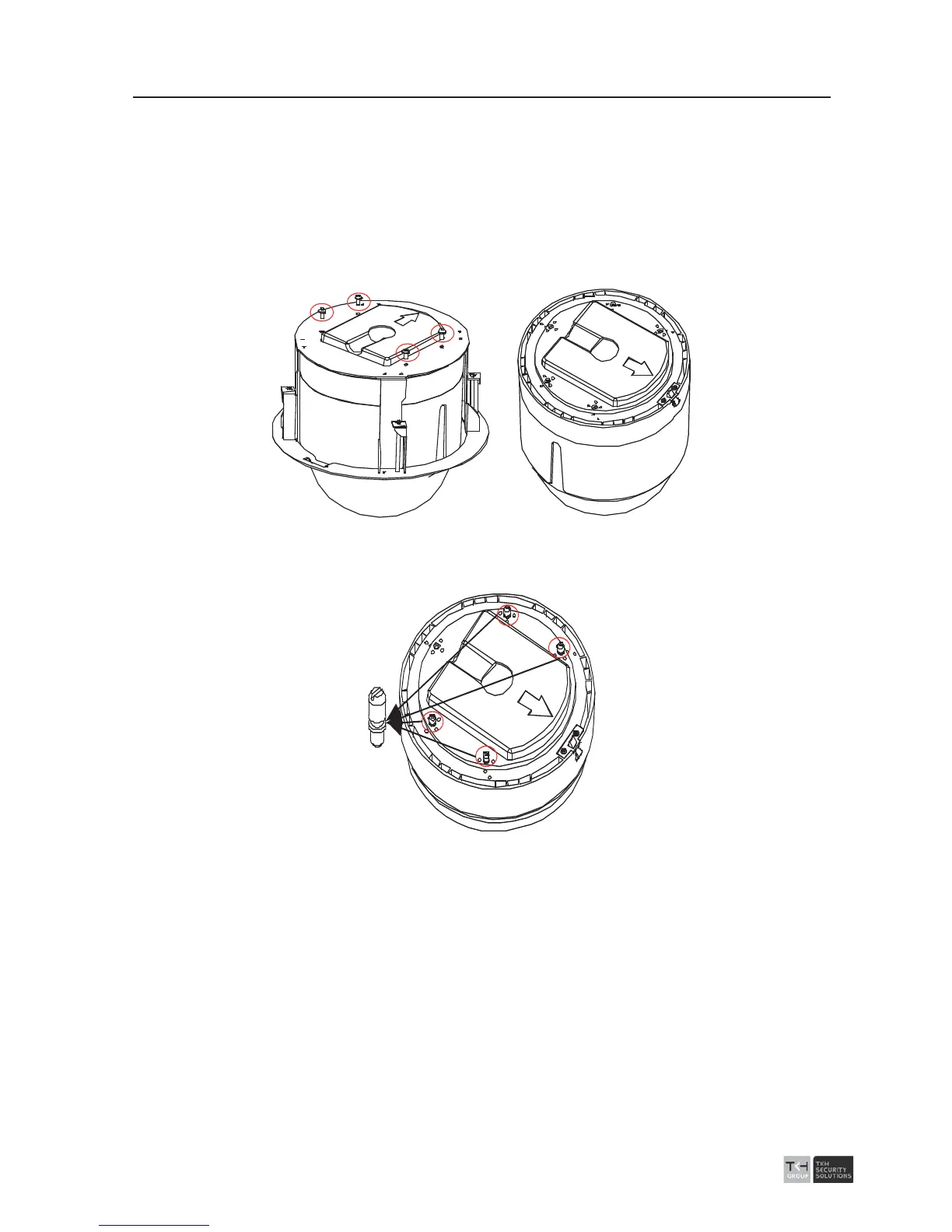
1. Loosen and remove the 4 screws as shown in following figure (left). And Remove the
in-ceiling bracket as shown in following figure (right).
Figure 2-37 Remove the Bracket
2. Install 4 bolts to the screw holes as shown in Figure 2-21.
Figure 2-38 Install the bolts
2.3.2 Wiring For Ceiling Mounting Applications
The cables of dome can be routed either from the top or the side of the back box, as
shown in Figure 2-39. For the cables routed from the top of the back box, it is required
to drill a cable hole in the ceiling.



 To Next Page