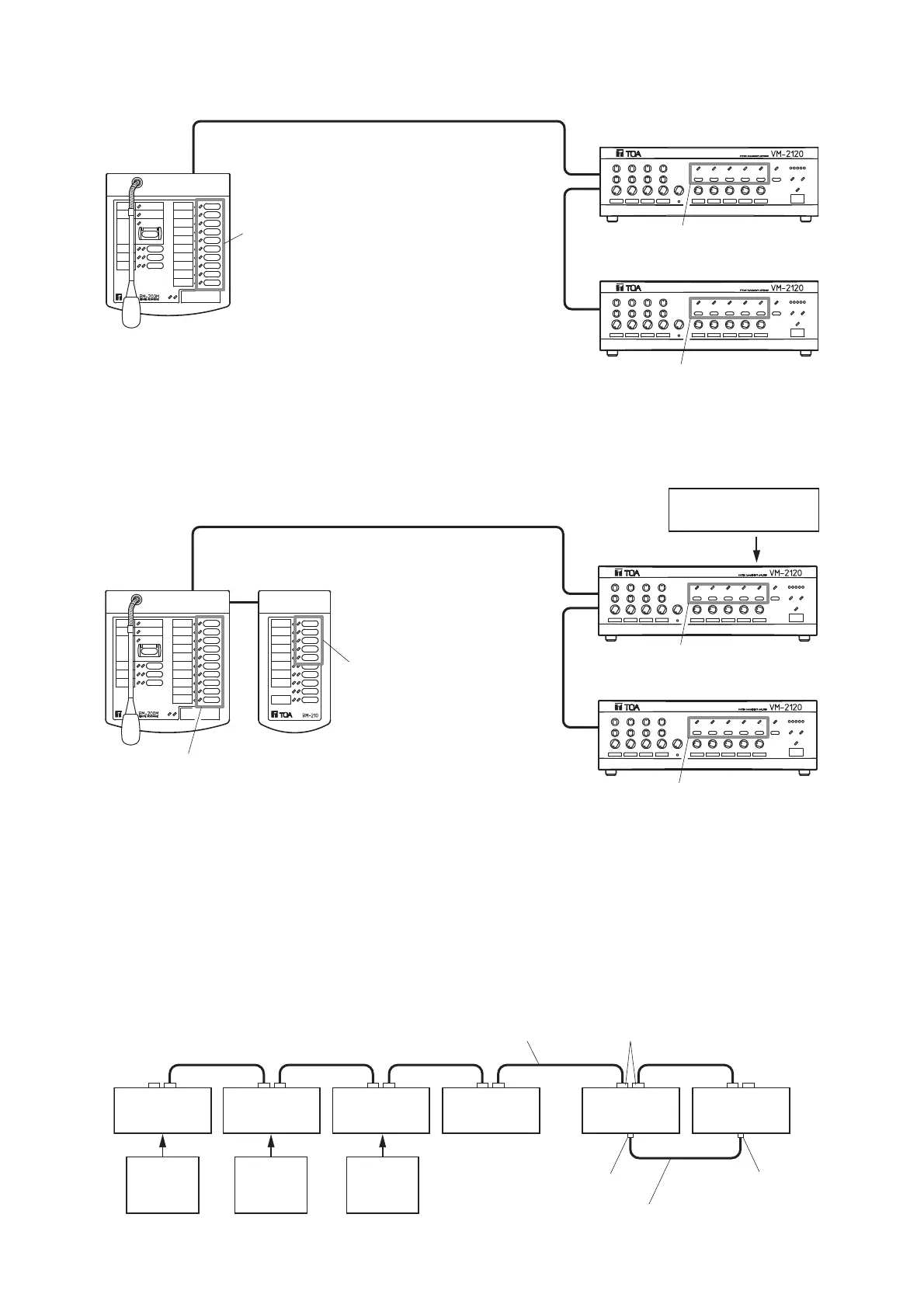
Zone 6 – 10 selector key/indicator
Remote
microphone
RM-200M
Master VM amplifier
Sub-VM amplifier
Zone 1 – 5 selector key/indicator
Zone 1 – 10
selector key/indicator
Zone 1 – 10
selector key/indicator
Zone 6 – 10 selector key/indicator
Message 1 – 5
selector key/indicator
Remote
microphone
RM-200M
Remote microphone extention
RM-210
Master VM amplifier
Sub-VM amplifier
Zone 1 – 5 selector key/indicator
Voice announcement
board EV-200M
(3) 10 speaker zones with 2 VM amplifiers
(4) 10 speaker zones with 2 VM amplifiers (equipped with the EV-200M Board)
7.3. Connection between Remote Microphone and VM Amplifier
[Connection method vs. Distance]
Using the specified cable, connect between the VM amplifier(s) and Remote Microphone(s) via their LINK
connectors. They can be connected in any order. (Two connection examples are shown.)
Connection example 1
Remote
microphone
Remote
microphone
24 V DC
Power
supply
24 V DC
Power
supply
24 V DC
Power
supply
Remote
microphone
Remote
microphone
Master VM
amplifier
Sub-VM
amplifier
abc d e
LINK connector (RJ45)
Link cable*
PRE OUT jack
POWER AMP IN jack
Audio cable



 To Next Page