36
21. CONTROL I/O CONNECTOR FUNCTIONS
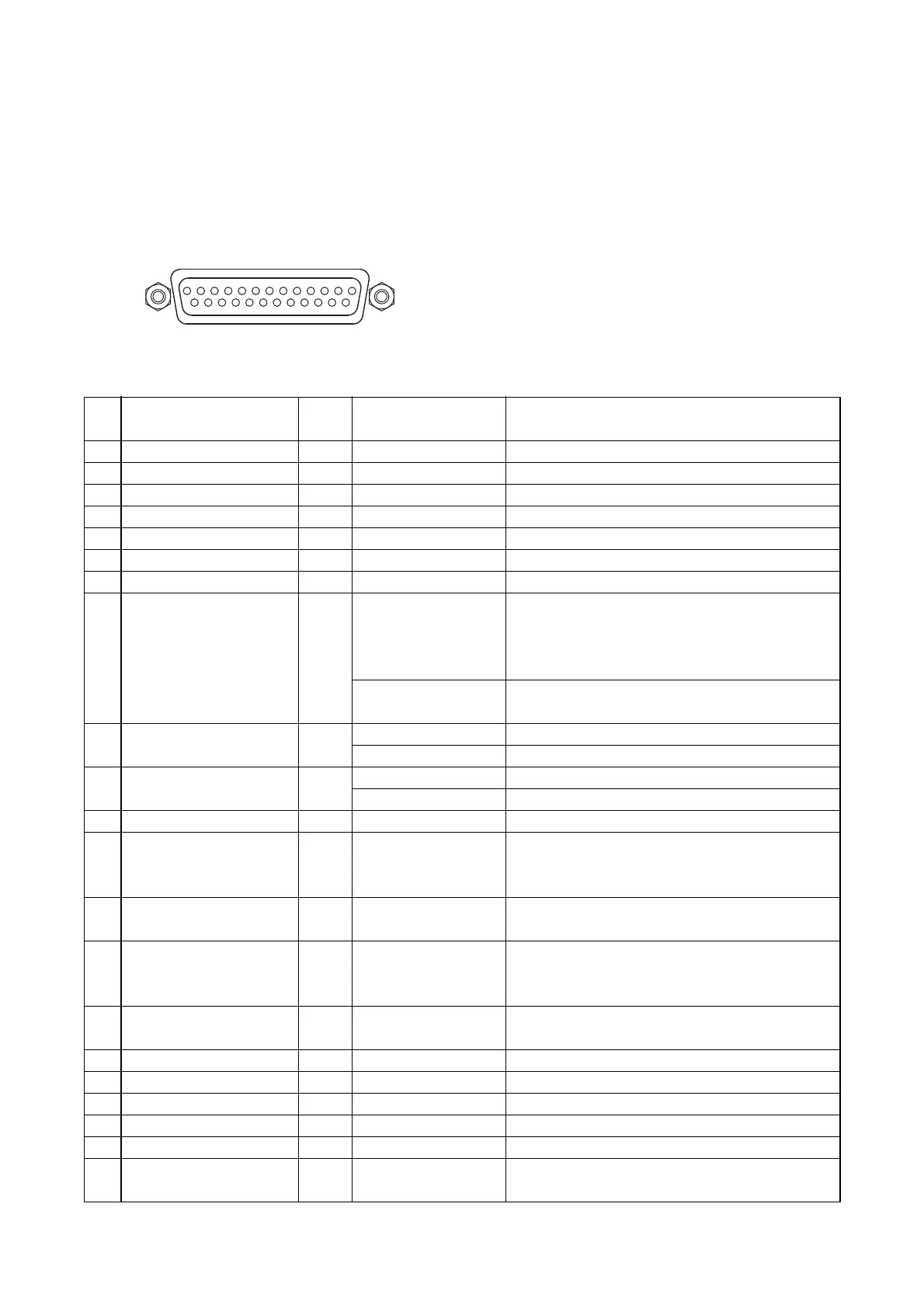
The rear panel-mounted Control I/O connector enables the VM amplifier to be controlled or monitored by
connected external equipment. Referring to the pin arrangement and functions, prepare the matching D-sub
male connector (screw-lock type) for connection to the external equipment. (See p. 10 No. 30 CONTROL I/O
connector.)
CONTROL I/O connector pin function table
Function/status
When AC power is on
When DC power is on
Activates EV-200M Board's Message 1.*
1
Activates EV-200M Board's Message 2.*
1
Activates EV-200M Board's Message 3.*
1
Activates EV-200M Board's Message 4.*
1
Activates EV-200M Board's Message 5.*
1
Cuts off the VM amplifier's power amplifier
output.*
1
*
2
(External signals applied to
EXTERNAL SP INPUT go through to the
speakers.)
The VM amplifier's power amplifier output is
resumed.
Activates a start chime tone.
Activates an end chime tone (4-tone Down).
Turns power on.
Turns power off.
–
Places the unit in "Emergency broadcast" mode,
during which time an "Alert" announcement and
an "Evacuation" announcement are broadcast. *
1
Resets the unit from "Emergency broadcast"
mode.
Places the unit in "Emergency broadcast" mode,
during which time an "Evacuation" announcement
is repeated. *
1
The FAULT indicator lights to indicate external
equipment failure.
When the power switch is on by means of
manual or external control
Pin
No.
1
2
3
4
5
6
7
8
9
10
11
12
13
14
15
16
17
18
19
20
21
Signal name
AC power ON
DC power ON
Message 1 activation
Message 2 activation
Message 3 activation
Message 4 activation
Message 5 activation
VM amplifier's
broadcast cutoff control
Chime activation
(4 built-in chimes)
Power ON/OFF control
–
Emergency alert
activation
Emergency stop
activation
Emergency evacuation
activation
Failure indicator control
GND
GND
GND
GND
GND
Power switch on
IN
/OUT
OUT
OUT
IN
IN
IN
IN
IN
IN
IN
IN
–
IN
IN
IN
IN
OUT
Signal/logic
Active Low
Active Low
One-shot make
One-shot make
One-shot make
One-shot make
One-shot make
At make
At break
Break-to-Make edge
Make-to-Break edge
Break-to-Make edge
Make-to-Break edge
–
One-shot make
One-shot make
One-shot make
At make
Active Low



 To Next Page