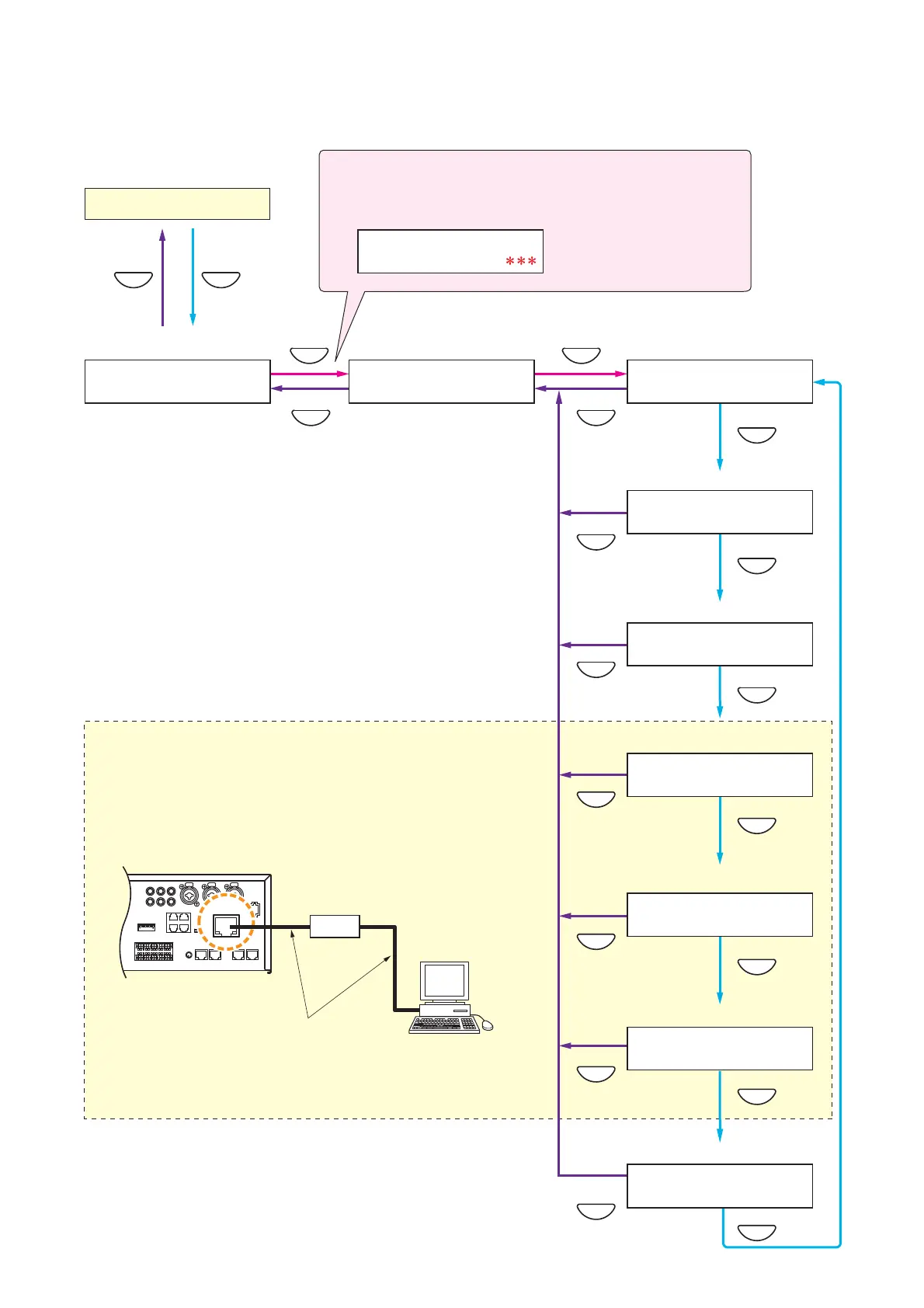
VM-3240VA/3360VA rear
PC
LAN
CAT5 straight cable
Switching hub
MENUCANCEL
MENU
MENU
MENU
OK
CANCEL
OK
CANCEL
CANCEL
CANCEL
CANCEL
MENU
MENU
MENU
MENU
CANCEL
CANCEL
CANCEL
PASS
W
O
R D ?
0
SELECT
M
E NU
C
O
NF I
G
URAT I
O
N
C
O
NF I
G
URATI
O
N
SETT IN
G
1
:
PASS
W
O
RD
SETT IN
G
3
:
NET
W
O
RK
SETT IN
G
4
:
L
OG
DATA
V
M
–
3000
– >
PC
2
:
CL
O
CK
SETT IN
G
5
:
SETT I N
G
DATA
C
O
MM
UN I CAT I
O
N
6
:
EV DATA
C
O
MM
UN I CAT I
O
N
7
:
E
MG
BR
O
ADCAST
SETT I
NG
Setting menu screen Configuration Setting screen Password settings (page 48)
Password entry (page 47)
If a password has been set, the password input screen is displayed
before entering the Configuration Setting screen.
Date/time settings (page 49)
Network settings (page 50)
Log transfer (page 52)
Set data transfer (page 53)
EV sound source data transfer (page 55)
Emergency broadcast setting (page 57)
Normal status
These settings require setting software operation. Connect the
amplifier to a PC and activate the software before starting
settings. (For details, refer to the separate software instruction
manual.)
10.3. Configuration Settings
10.3.1. Configuration settings hierarchical chart



 To Next Page