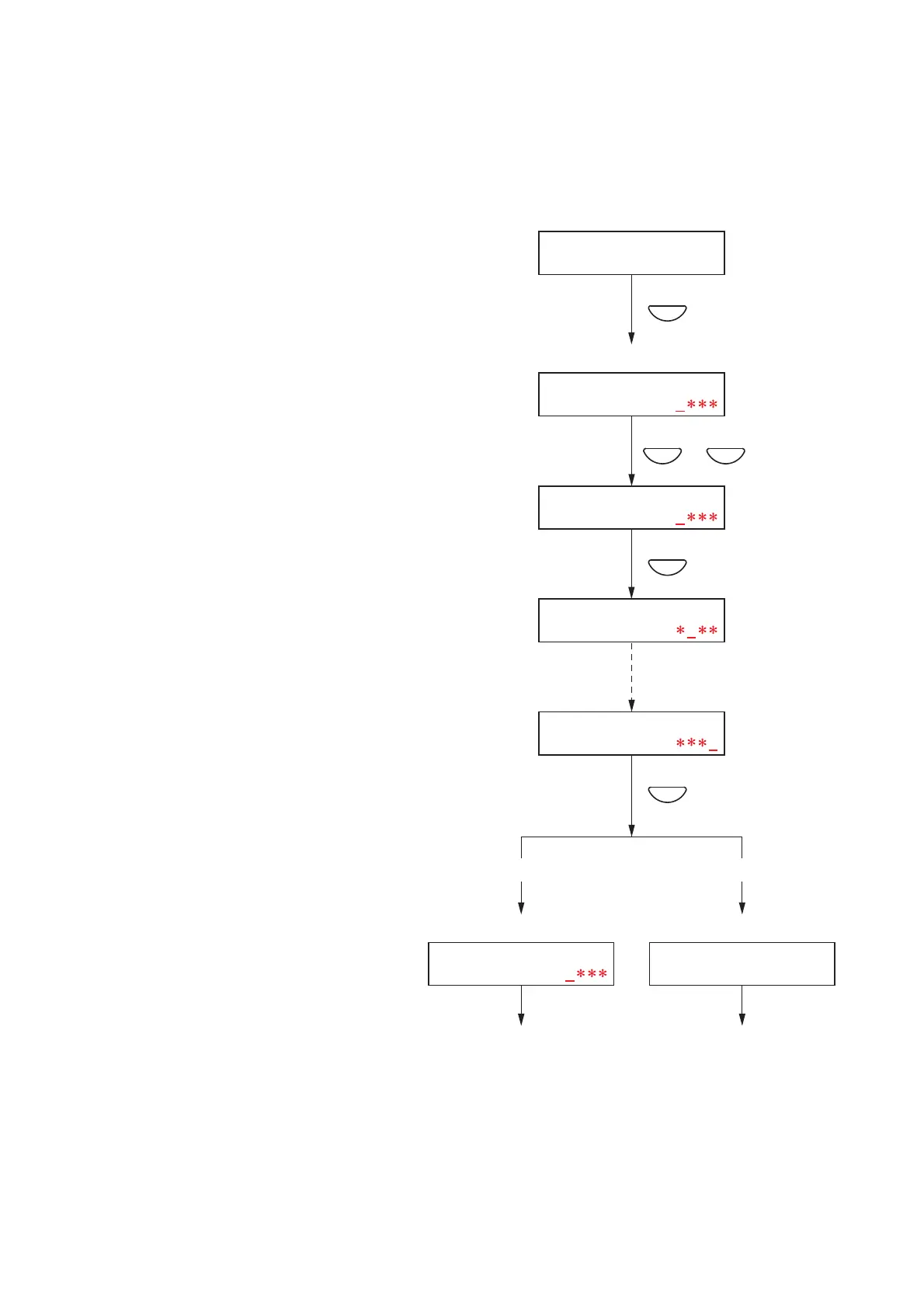
10.3.2. Password entry
If a password has been set, the password entry screen is displayed before entering the Configuration Setting
screen. (For password settings, refer to page 48.)
Step 1. When a password has been set, pressing the OK
key on the setting menu screen displays the
password input screen. (Pressing the Cancel key
returns the display to the original screen.)
Step 2. Enter the password using the [+] or [–] key.
The number increases as the [+] key is pressed
and decreases as the [–] key is pressed. An
underline (_) is shown at the leftmost digit to
indicate entry position.
Step 3. Press the OK key.
The underline moves to the next digit (to the
right).
(Pressing the Cancel key moves the display one
screen back.)
Step 4. Repeat Steps 2 and 3 to complete a 4-digit
number.
Step 5. Press the OK key when the underline is at the
fourth digit.
If the entered password is correct, the display
switches to the Configuration Setting screen.
If incorrect, the display returns to the password
entry screen.



 To Next Page