82
[Setting example]
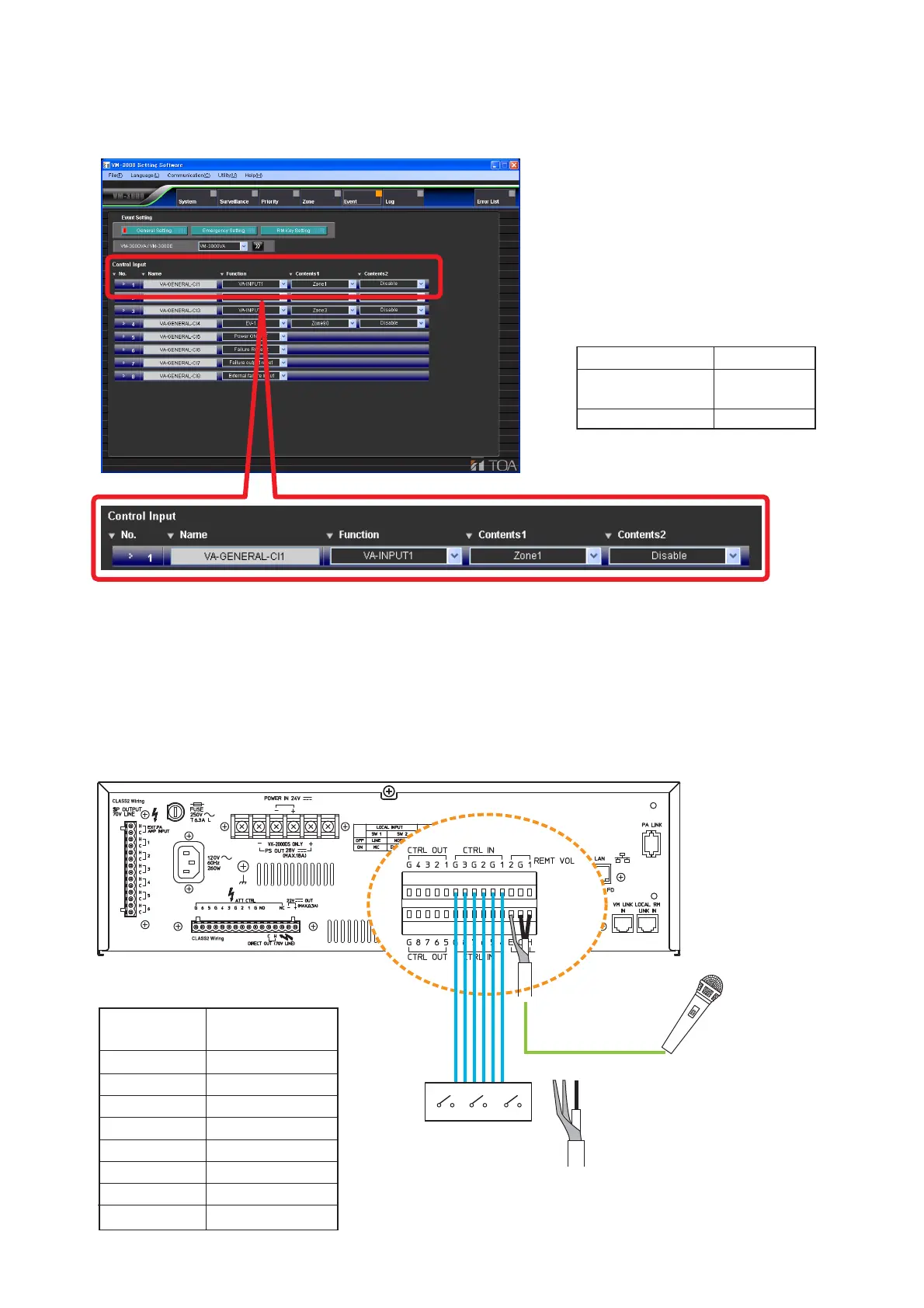
Shown below is a general control input setting screen in the setting software.
The figure shows an example when performing a general broadcast by way of the contact activation.
13.4.2. Using the local input
Local broadcasts can be performed within the area where the unit covers using the VM-3240E's Local input.
To use this function, refer to "Local input settings" in "System settings" in the separate software instruction
manual.
VM-3240E rear
ECH
When using a single-core shielded
cable, connect the shielded mesh to
both E and C terminals.
Local Input
Relation between Control inputs and
broadcast output destinations
AWG 28 – AWG 22
SUB SW2 SW1
Control input
CTRL 1
CTRL 2
CTRL 3
CTRL 4
CTRL 5
CTRL 6
CTRL 7
CTRL 8
Broadcast output
destination
OUTPUT1
OUTPUT2
OUTPUT3
OUTPUT4
OUTPUT5
OUTPUT6
OUTPUT1-6
Not used.
LOCAL
INPUT
Control input
Sound source
input
Broadcast zone
No. 1
VA-INPUT 1
Zone 1



 To Next Page