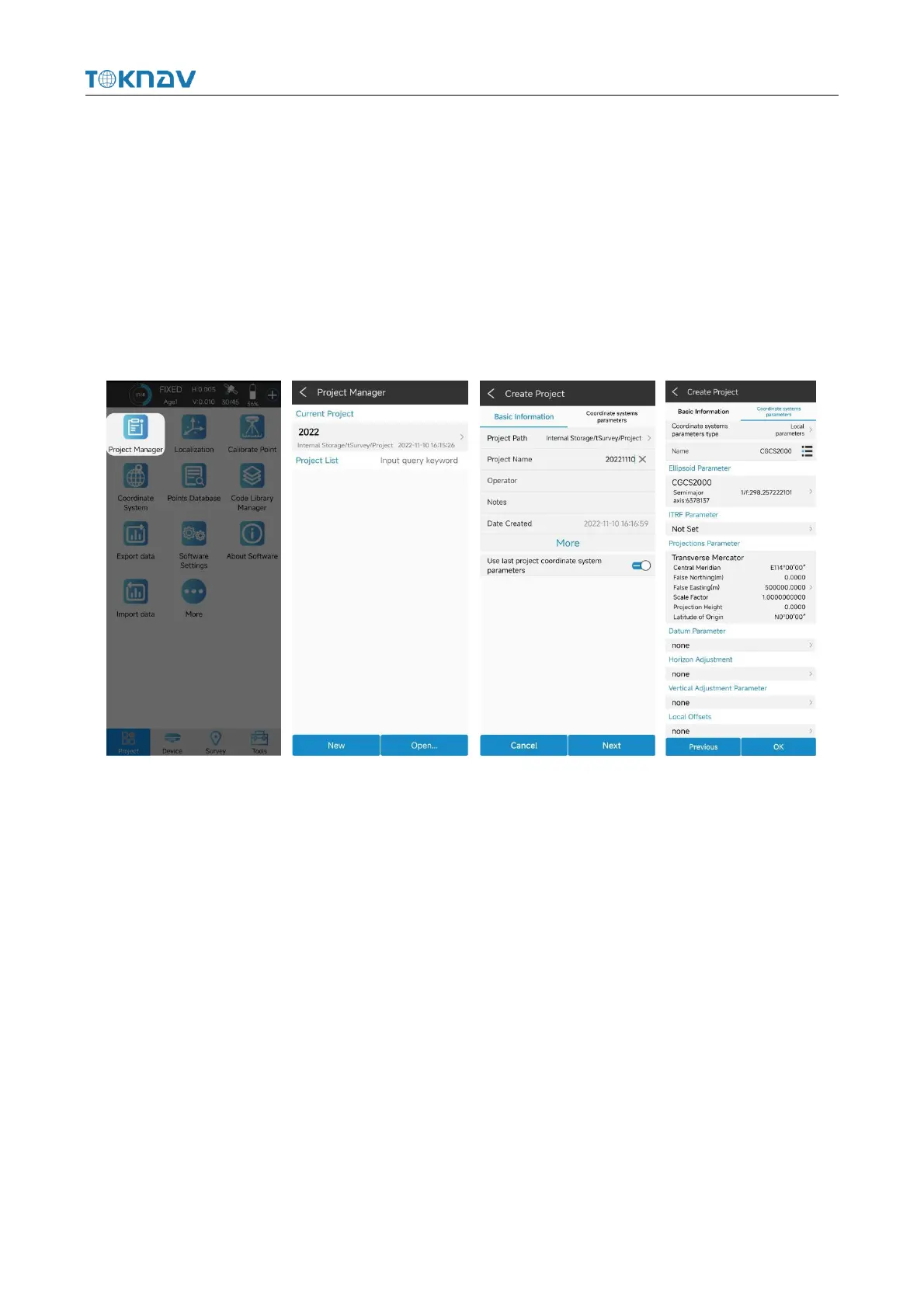
4.3 New Project
Action: Project → Project Manager → New
Enter the name of the item. Others are additional information and can be left
blank. Fill in by default or according to actual data. Click [Next].Jump to the
coordinate system parameter interface. The ellipsoid parameter in China is
CGCS2000, projected by Gauss by default. For other parameters, you can set the
coordinate system according to the actual operation requirements.
4.4 Import Data
Actions: Project → Import Data
Copy the data file to be imported to the internal storage of the notebook, select
the data type, length unit, angle format and data format, click Next, go to the storage
directory, select the corresponding file, and click OK.



 To Next Page