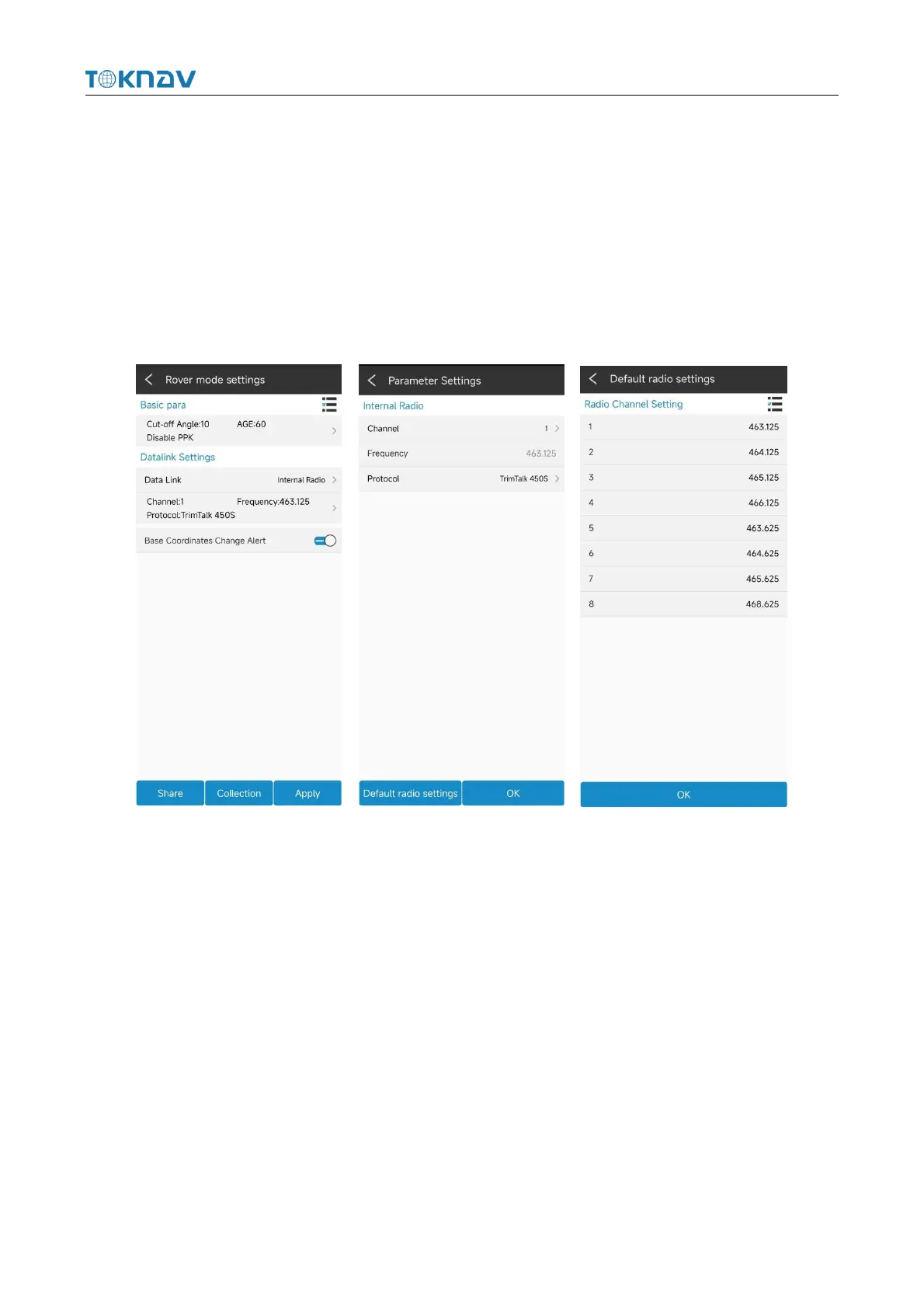
4.7.3 Internal Radio Data Link
Plug in the radio antenna of the device, select "built-in radio station" for the data
link, enter the parameter setting, click "Default radio station setting" in the lower left
corner to configure the radio station channel, select the channel and protocol content,
click "OK" to automatically return to the rover station setting interface, click
"Application" to automatically return to the main page of the instrument to check
whether the solution is fixed.
4.8 Base Mode Setting
Operation: Device → Base
Enter base ID, set differential mode, altitude cutoff angle, PDOP limit, start
mode parameter, whether to enable PPK, click "Data Link ", and select the required
data link.



 To Next Page