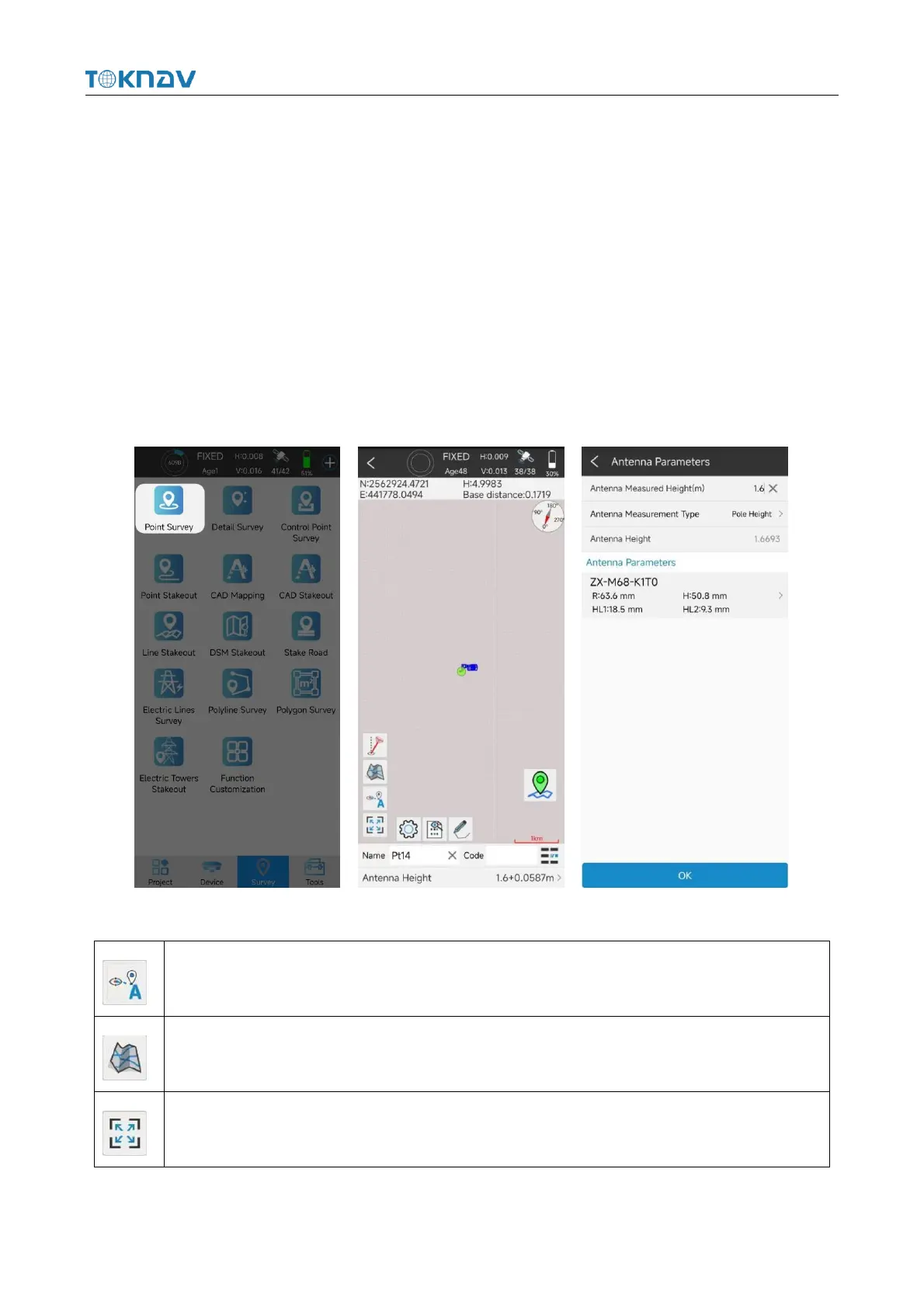
4.10 Point Survey
Operation: Survey → Point Survey
Open the point survey page, and view the current power of the device in the
upper right of the survey display interface. Amount, CORS connection status,
positioning accuracy (H: horizontal accuracy and, V: elevation accuracy), satellite
information status, the following column displays the current optimal position of the
device (north coordinate, east coordinate, elevation, base station distance and other
information), and the bottom of the interface displays the name, code and antenna
height to be collected (click to set antenna parameters).
Each icon in the point survey page has the following meaning:



 To Next Page