TokNav Information Technology CO., LTD.
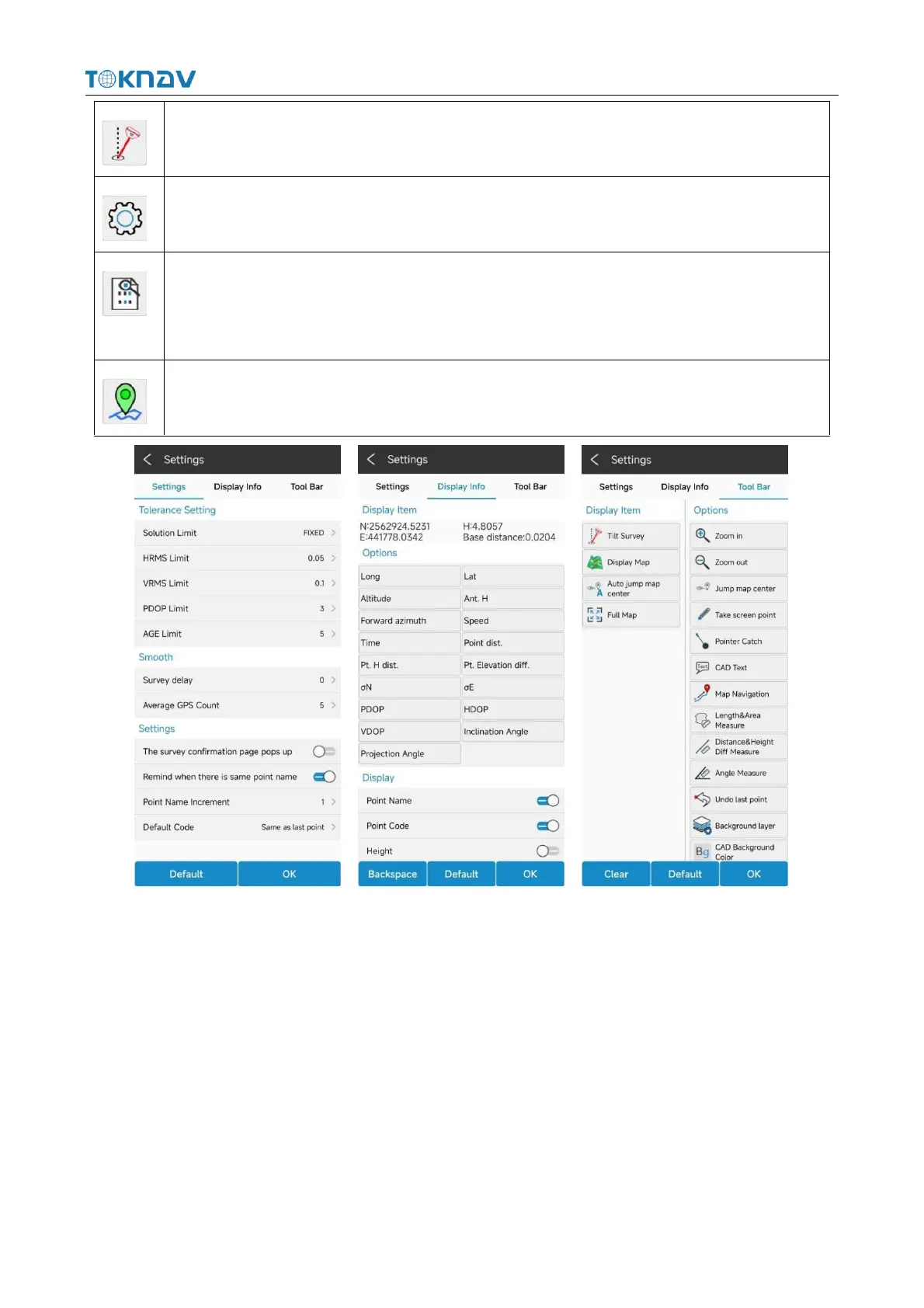
Click this icon to turn tilt survey on or off.
Click the icon to set acquisition parameters, information display and function menu.
Click this icon to view the coordinate point library of the current project and the
collected point coordinates, which are the same as the function of "coordinate point
library" in "project ".
Click the icon to collect point, line, surface and other data.
Picture Settings Picture Display Info Picture Tool Bar
4.11 Tilt Survey
Operation: Survey → Point Survey
The tilt survey function requires a tilt module on the device. The device with this
function can:
1. The accuracy of the device machine can be maintained within 2cm within the
range of 60° inclination;
2. The calibration process is simple, just shake the centering rod in place;



 To Next Page