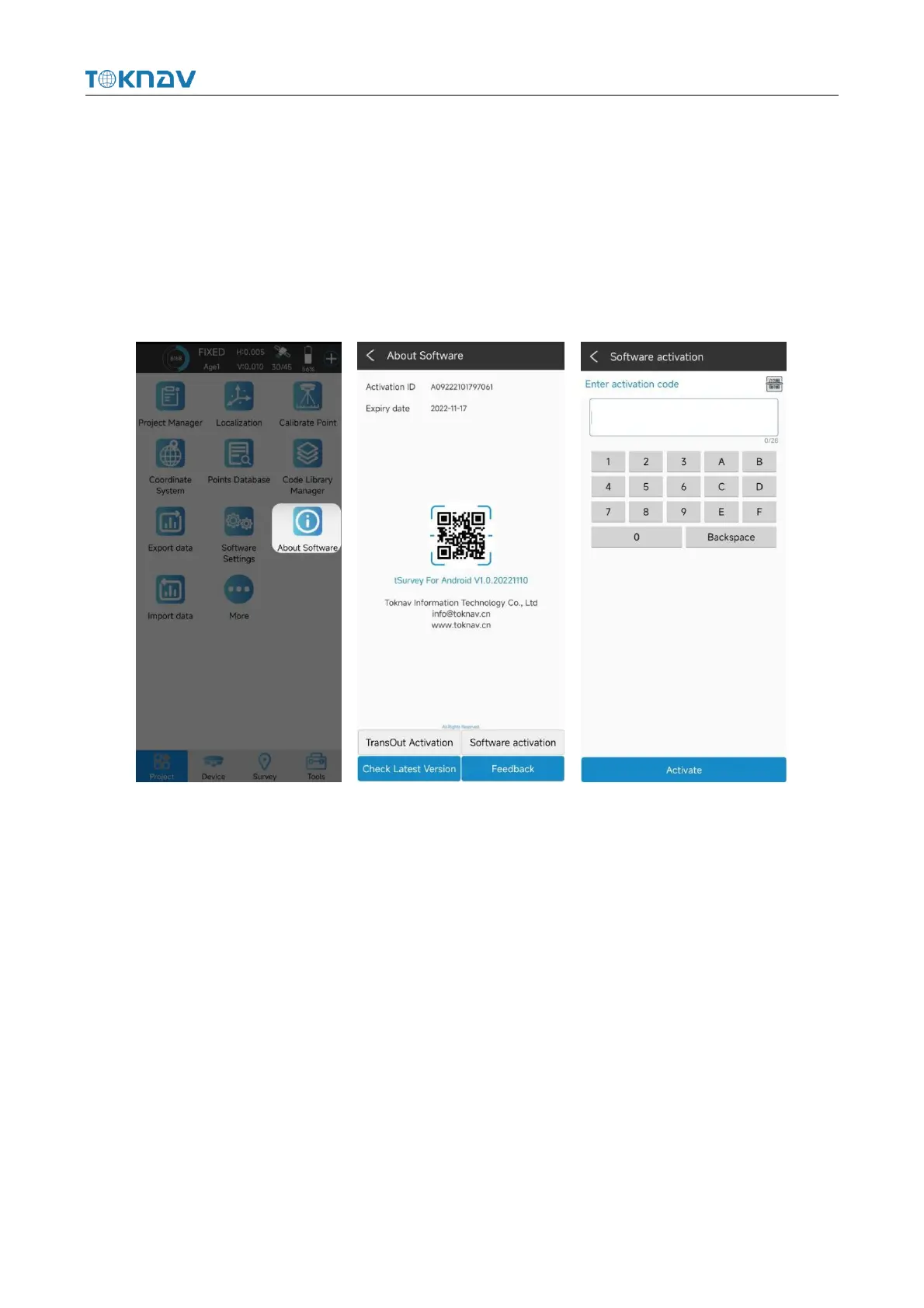
4.13 Software Activation
Operation: Project → About Software
In the process of using the software, you need to pay attention to the expiration
date of the software. If it has expired, you need to activate. Click "Project"→ "About
Software" to query the software expiration time. If it has expired, click Software
Activation and enter or scan a new software activation code on the jump page.



 To Next Page