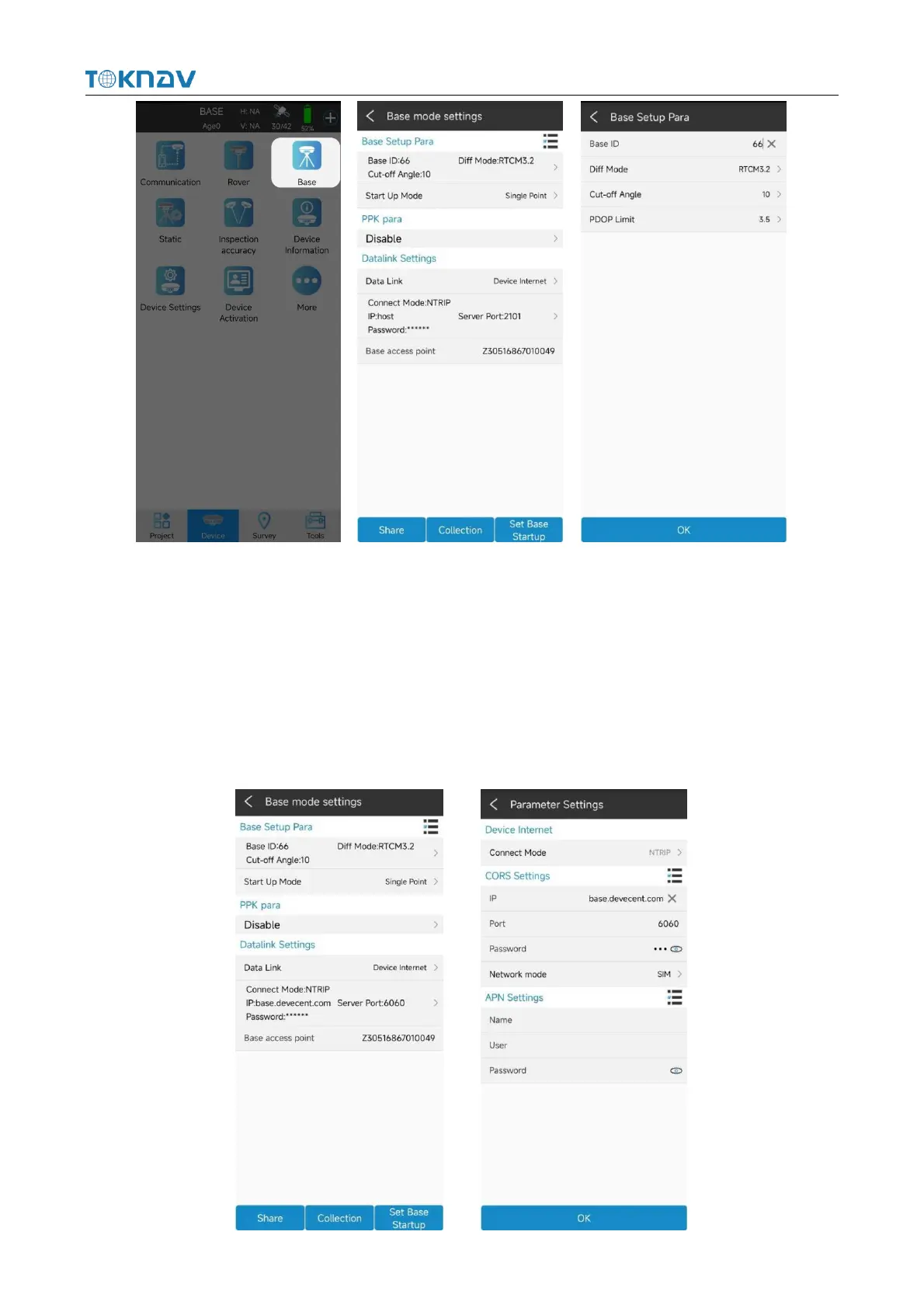
4.8.1 Device Internet Data Link
Insert the SIM card into the device, select "device Network" for the data link,
enter the parameter setting, select CORS setting and APN setting, click "OK" to
automatically return to the reference station setting interface, the base station access
point is the machine number by default, click "Start Base Station" to automatically
return to the instrument main page and check whether the base station is started.



 To Next Page