@
ToolkitRC
2019
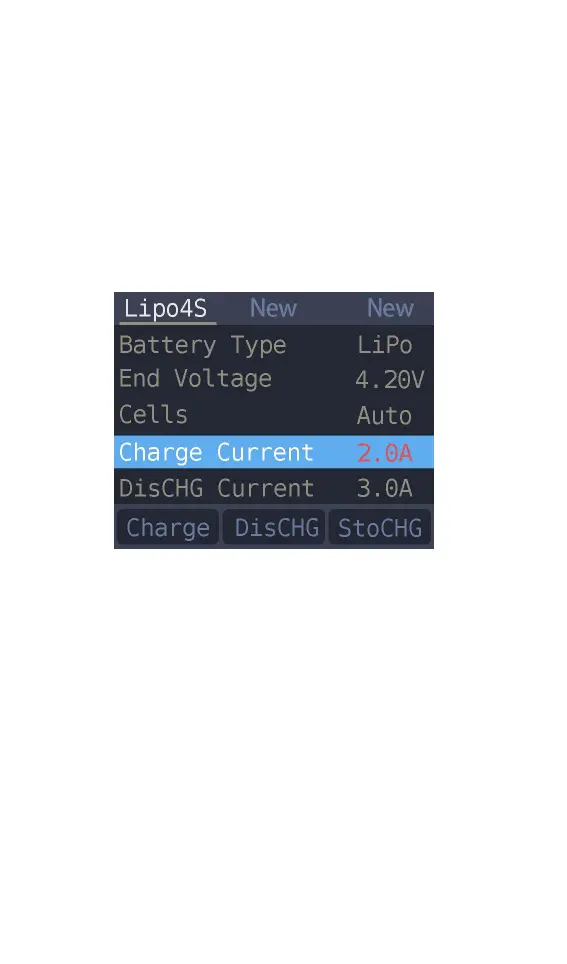
5. Current setting
Move the cursor to the charging current
[Charge Current] position and press [OK] to modify
the charging current. Press up or down to adjust the
value and step 0.1A. Press and hold up or down to
add or subtract quickly. The charger supports up to
10.0A.
Move the cursor to the [Discharge current]
position and press [OK] to modify the discharge
current. Press up or down to adjust the value and
step 0.1A. Press and hold up or down can be quickly
reduced. The charger supports two discharge
modes. 1. ordinary discharge mode. through internal
heat dissipation discharge. maximum support
2.0A@8W. 2. Recovery discharge mode. When the
input power source is a battery this function can
recover electrical energy to the input battery, the
maximum support 10.0A current.



 To Next Page