@ToolkitRC 2024
careful with the settings. 3, Lixx batteries can be
identified more accurately when they are connected to
the balance port
==================================================
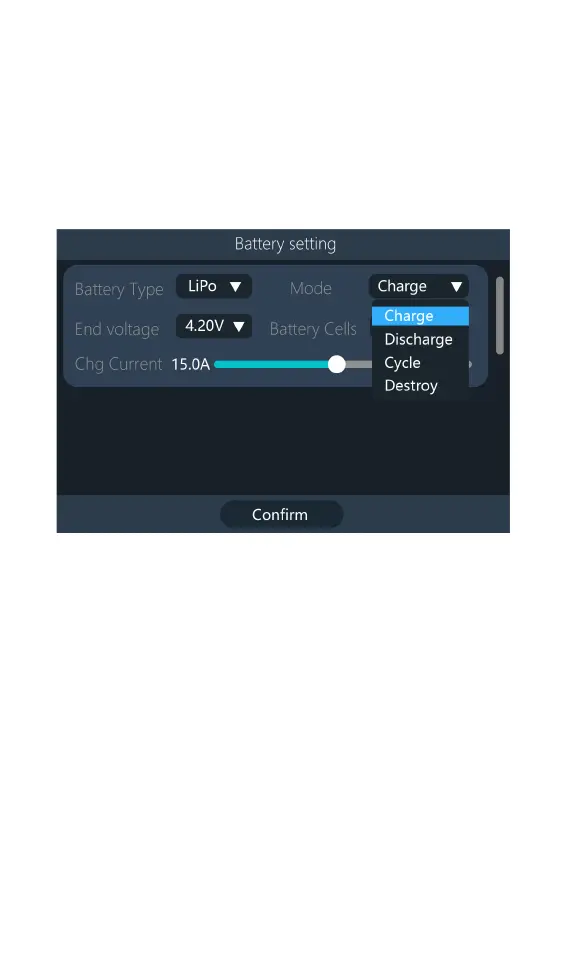
3,Mode
Modify the work Mode, as shown in the figure below.
Lipo, LiHV, LiFe, and Lion batteries can be selected
for charging and storage. NiMh and PB batteries can be
selected for charging. Press [Confirm] to take effect and
back to the previous screen interface.
4,End voltage setting(TVC)
Move the cursor to [End Voltage] to modify the
end voltage of the monolithic battery, when the working
mode is charging, it is charging the cut-off voltage, the
range is ± 50mV of the full voltage. When the working
mode is discharging, it is discharging cut-off voltage.
Select the voltage adjustment value, step increment of
0.01V.



 To Next Page