@ToolkitRC 2024
Quick start
1,Connect the device to DC 10-49V power source.
2,The screen shows the boot logo for 2 seconds.
3,An audible tone will accompany the boot sequence.
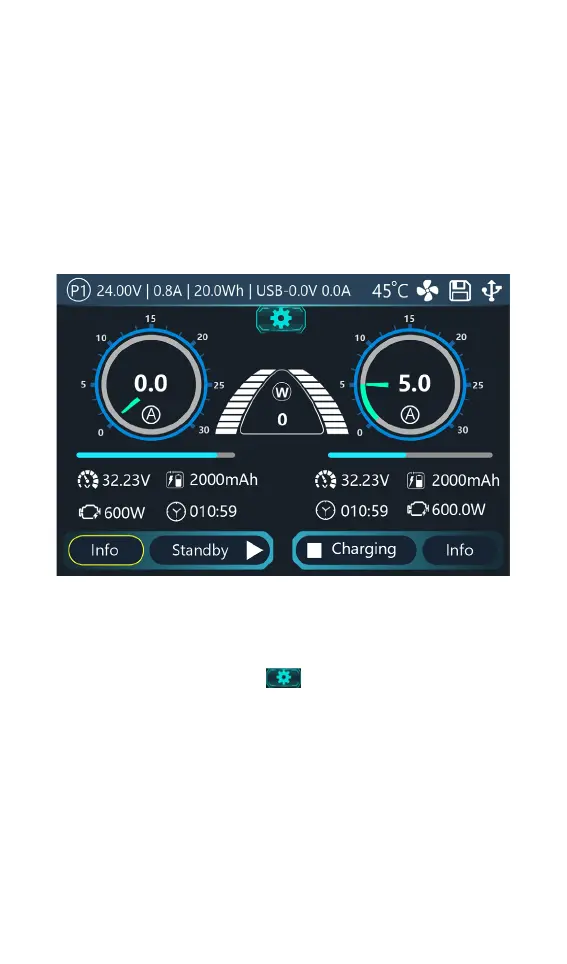
4,After booting up, the screen enters the main
interface as shown below:
4. Touch the main interface. Or scroll [Scroll Wheel],
select the desired function, and press [Scroll Wheel] to
determine the current function.
5. Touch the [Settings icon
], or press and hold [Scroll
Wheel] to enter the system settings.
6. Touch the [Info] button, or scroll the [Scroll Wheel] to
select the [Info] button to display the voltage and
internal resistance in the corresponding channel.
7. Touch [Status], short press [Scroll Wheel] to select
[Status], or touch [Status] to select the charging task
when the channel is idle. You can adjust and end the



 To Next Page