Chapter 3 – CropSpec Setup
11
Configure sensors
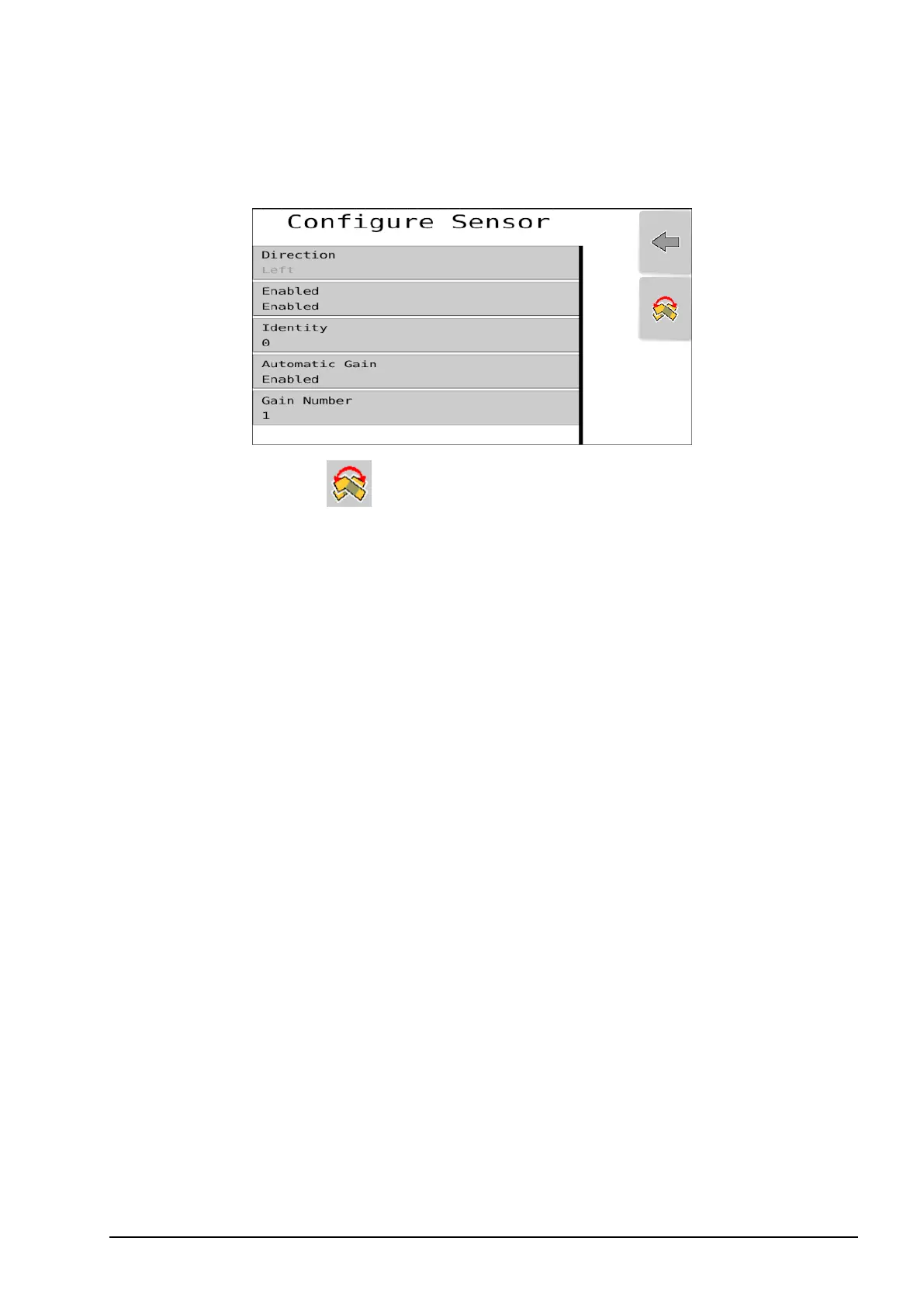
1. Select Configure Sensor.
l
Direction: Select to switch the sensor between left hand side
and right hand side. The displayed Direction will change when you
switch the sensor.
l Enabled: Select to enable or disable the selected sensor.
l Identity:Select to display the identities of the installed sensors. The
identity sticker can be found under the sensor. Select the identity
that matches the sensor installed on the selected Direction (left or
right).
l Automatic Gain:Select to enable Automatic Gain. The Gain
Number is automatically adjusted by the software.
Note: Automatic Gain ensures that the CropSpec sensors operate
at an appropriate sensitivity level for the conditions of the field.
Automatic Gain should always be enabled. Disabling Automatic
Gain and manual entry of Gain Number (between 1-6) is only
required for fields that have inconsistent CropSpec readings caused
by high variations of crop health. In case of inconsistent readings,
contact your Topcon dealer for more information.



 To Next Page