− 45 −
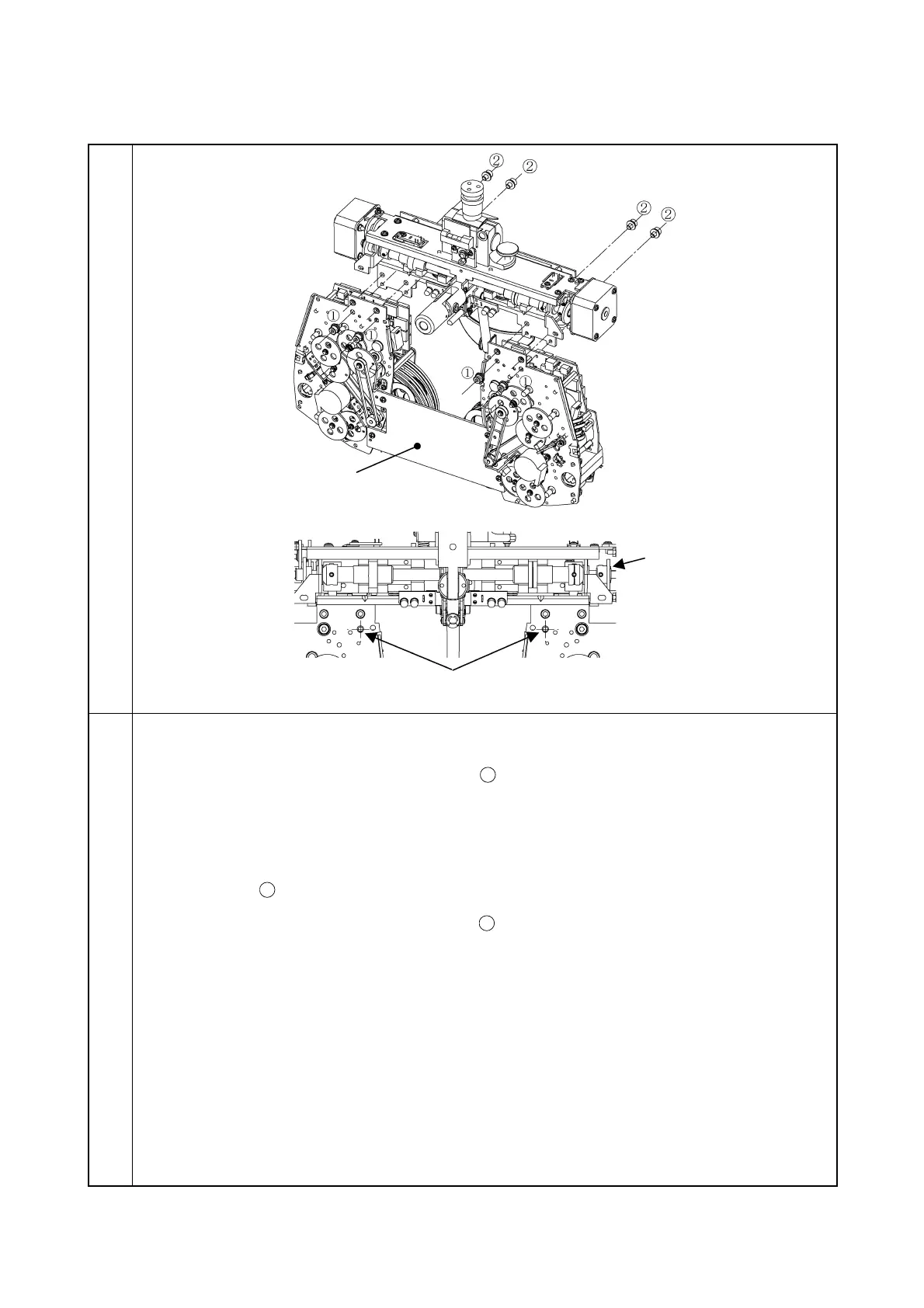
3-6-3 Installation of lens unit
Illustration
Procedure
1. Install the lens unit assembly tool as aligning it with the dowel of the metal plate.
2. Set the two screws W sems 6S4 × 6S3BZn
temporarily (set them at right and left one by
one).
3. Turn the PD gear to adjust the right and left hole positions.
4. While the lens unit is in contact with the dowel, set the unit with the four screws W sems 6S4
× 6S3BZn.
5. Set the four screws W sems 6S4 × 6S3BZn
.
6. Remove the lens unit assembly tool.
*
Insert only two screws. Turn the PD gear to
adjust the right and left hole positions.



 To Next Page