22
1 NOMENCLATURE AND FUNCTIONS
1.5 Hardware Reset
If your instrument not responding or an application hangs, please try to perform a software reset first.
Still, when useless, please perform hardware reset.
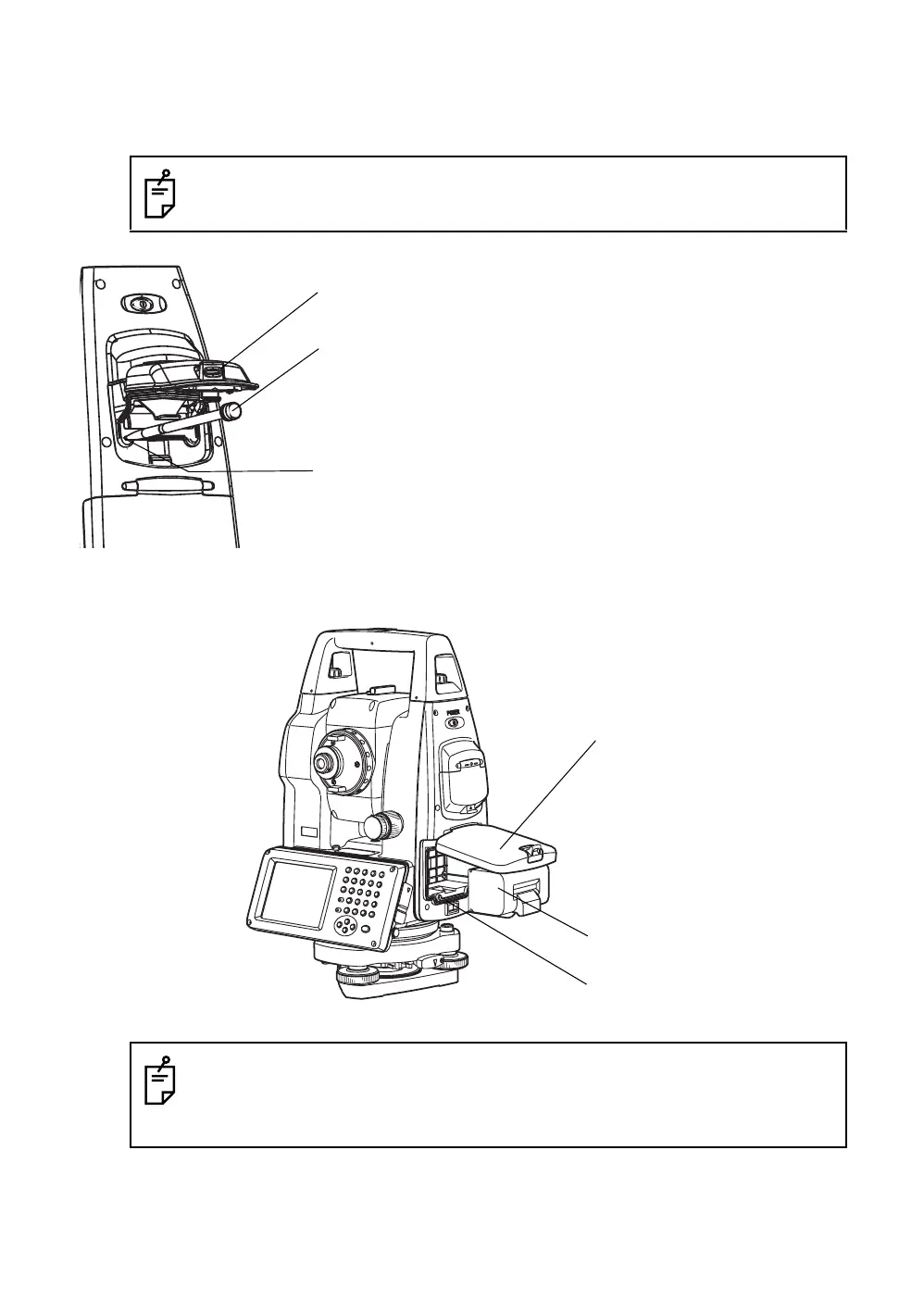
1.6 Cover Sensor
Completely close the battery cover before using the GPT-7000i.
You will lose all of data on the device other than that in the "Internal Disk" after hardware reset
and will need to reinstall the applications and the data you install on your instrument.
● If the battery cover is not completely closed, the GPT-7000i will not operate normally,
regardless of whether the battery or the external power source is used.
● If the battery cover is opened while the GPT-7000i is in operation, operation will
automatically be suspended.
Card cover lever
Hardware reset switch
Stylus pen
1 Pull the card cover lever to open the card cover.
2
Insert the stylus into the unit of hardware reset
switch.
3
Press the switch for two seconds.
4
Press the power switch.
The instrument will reboot.
Battery cover
Battery
Cover sensor



 To Next Page
 Loading...
