70
5 CHECK AND ADJUSTMENT
5.2 Checking the Optical Axis
5.2.1 Checking the optical axis of EDM and theodolite
To check if the optical axis of EDM and theodolite are matched, follow the procedure below.
It is especially important to check after adjustment of the eyepiece reticle is carried out.
1
Position a prism about 30 to 50m apart from
GPT-7000i series .
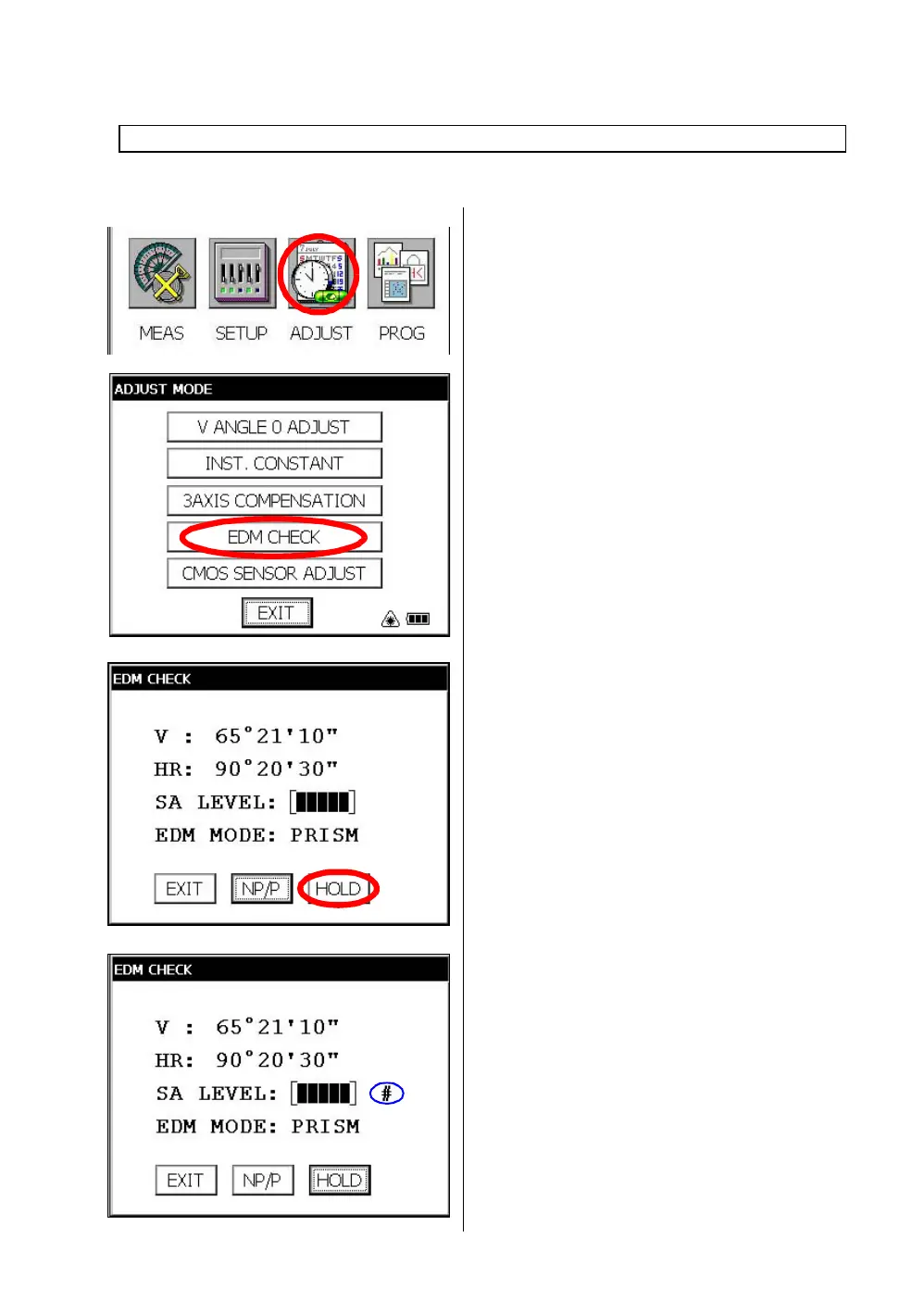
2 Press the [ADJUST] icon.
3 Press the [EDM CHECK] key.
4 Collimate the center of a prism by prism mode.
The buzzer will sound.
5
Press the [HOLD] key to hold the quantity of
the light.
The mark "#" will appear on the right side of the
signal level indicator.
Check each of the optical axis of EDM and theodolite about prism mode and non-prism mode in orde



 To Next Page
 Loading...
