58
3 STANDARD MEASUREMENT MODE
3.3.5 Fine/ Tracking / Coarse Measuring Mode
•Fine mode : This is a normal distance measuring mode.
Measurement time 0.2mm mode : approx.3 seconds
1 mm mode : approx.1.2 seconds
The unit to be displayed is 0.2mm or 1mm. (0.001ft or 0.005ft)
•Coarse mode : This mode measures in shorter time than in fine mode.
Use this mode for the objects which may be slightly unstable.
Measurement time : approx. 0.5seconds
The unit to be displayed is 1mm or 10mm. (0.005ft or 0.02ft)
•Tracking mode : This mode measures in shorter time than in fine mode.
Use this mode for stake out measurement. It is very useful when tailing the moving
object or carrying out stake-out work.
Measurement time : approx. 0.3 seconds
The unit to be displayed is 10mm. (0.02ft)
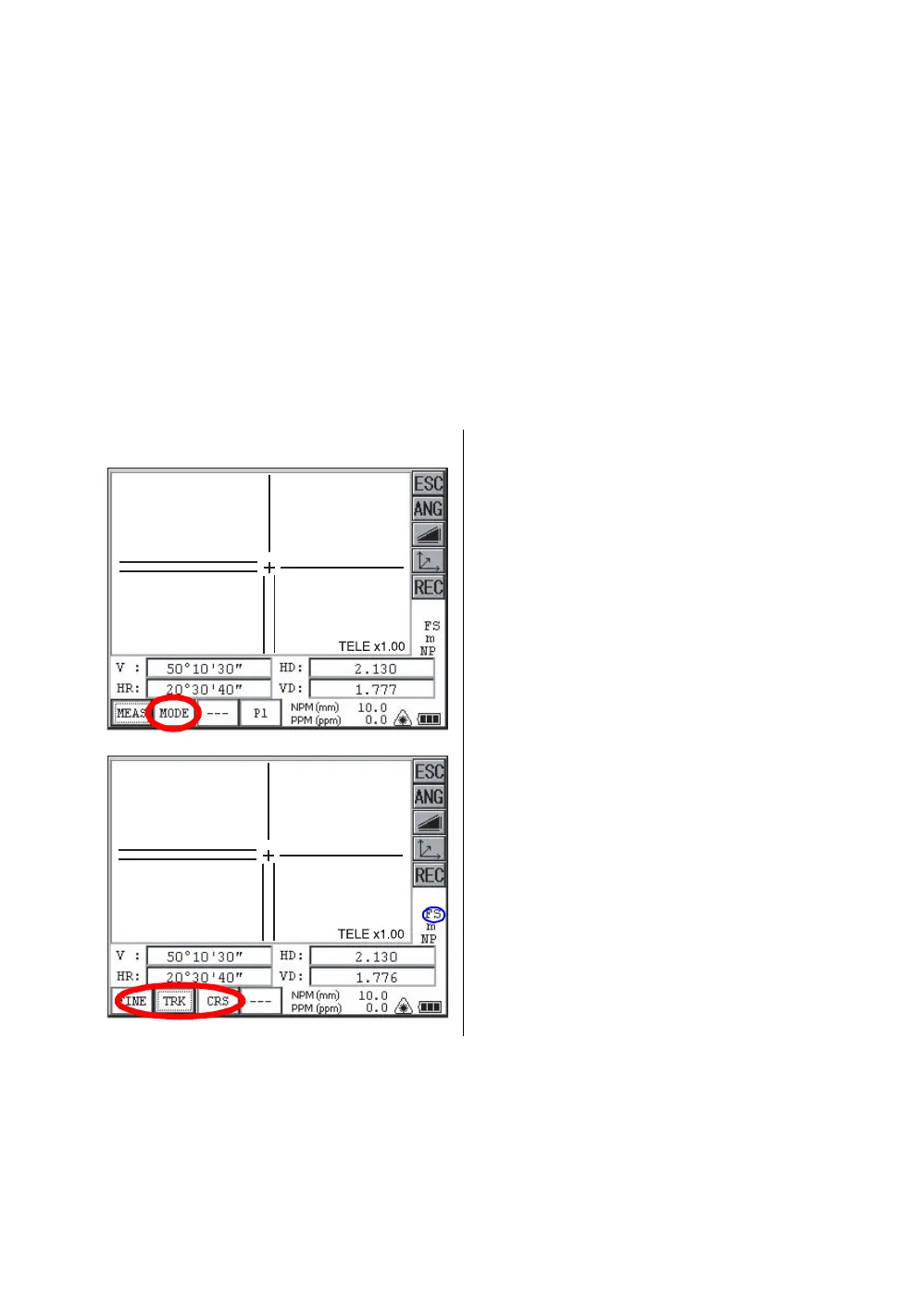
Confirm the distance measurement mode
.
3.3.6 Stake Out (S.O)
The difference between the measured distance and the distance preset is displayed.
The displayed value = Measured distance - Standard (Preset) distance
1 Collimate the center of prism.
2
Press the [MODE] key.
The first letter of the current mode is
displayed.*1)
3 Select the measurement mode by pressing the
[FINE], [TRK] or [CRS] key. *2)
The mode is set and distance measuring mode
reappears.
*1)The following characters will be shown on the 4th line right hand of the display to represent measurement
mode.
F=Fine; C=Coarse; T=Tracking
*2)To cancel the setting, press the [ESC] key.



 To Next Page
 Loading...
