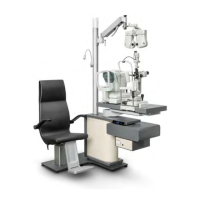
OPHTHALMIC UNIT
IS-100
Rev. 6 - November 2019Rev. 6 - November 2019
4-1
USER MANUAL
4. HANDLING OF THE UNIT
The user must know the operation and handling of the devices that make up the
ophthalmic unit, as well as the usual operations to be performed.
4.1. NORMAL OPERATIONS
4.1.1. Switching on the unit
Switch the device on connecting it to the mains.
The light should be blue.
4.1.2. Switching the unit off
Disconnect the device from the mains at the end of the working day or if the unit
isgoingtobewithoutdirectsupervisionofsta.
4.1.3. Switching off the unit for long periods
If the device is not going to be used for a long time, disconnect the plug from
the mains.
4.2. OPERATING ITEMS
The user has the following items for operating the unit:
y Keypad. See Section 4.2.1.
y Phoropter arm (optional). See Section 4.2.2.
y Tabletop. See Section 4.2.3.


 To Next Page