15
NOTE: Every step for pressing button during program must be finished within 1 second to ensure successful
programming.
Setting of the Control Board
WARNING: Ensure the gate opener is Power Off when you make any adjustment of the gate opener.
Keep away from the path of the gate during you set the gate opener system in case of the unexpected
gate moving. Carefully adjust settings to avoid the risk of machine damage and injury or death. Always
ask the help of professional technician /electrician if you have any question.
1. Check again for completed and correct assembly of your swing gate opener and gate. Plug the Power Cord
into the nearest AC outlet. The Digital Display on the Control Board will flash with “- -”. The unit is in standby.
2. Single/Dual Gate Set
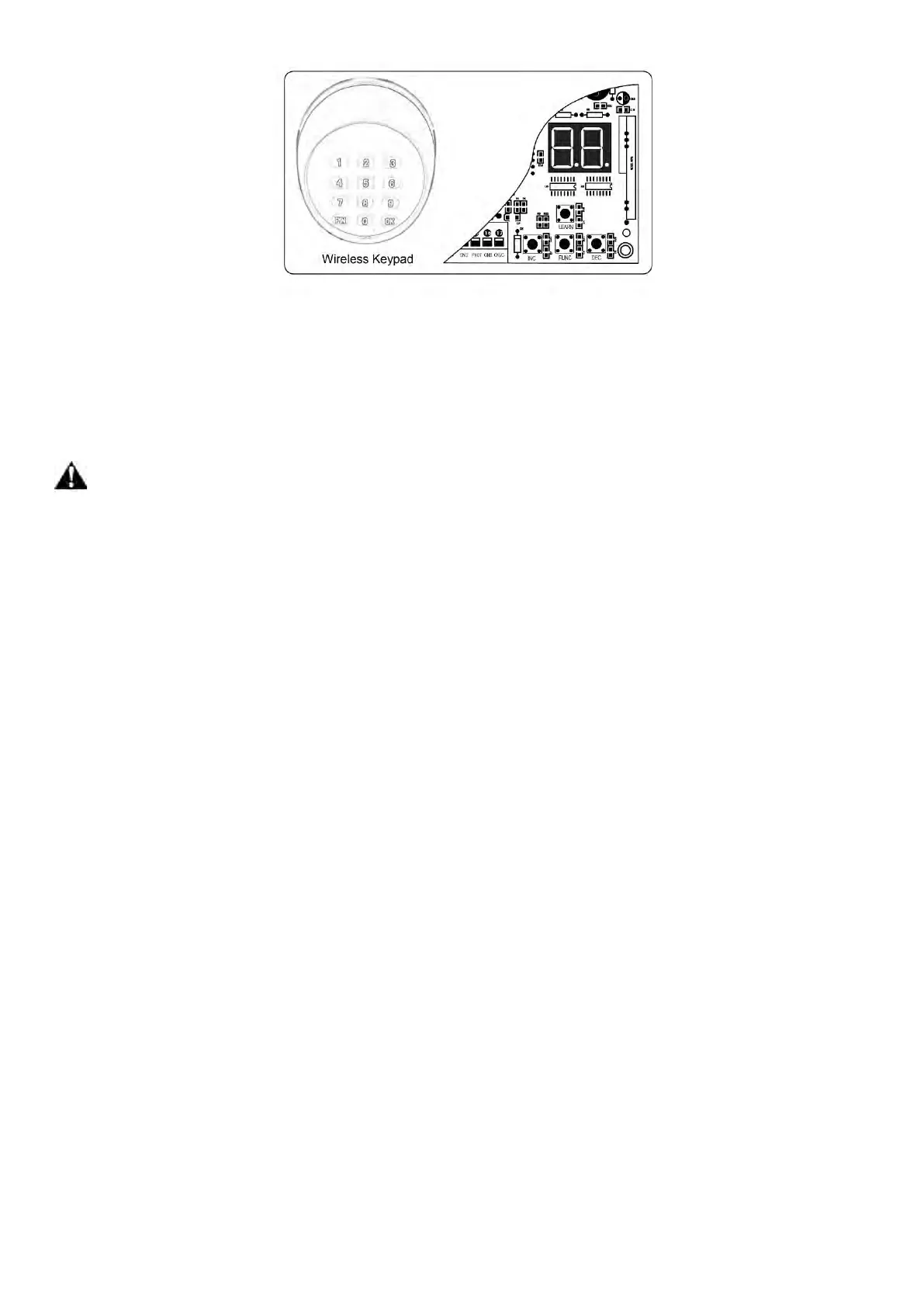
Press and hold the “FUNC” button for more than 4 seconds. The Digital Display will indicate “P1”. Gate opener
is on the SINGLE/DUAL Gate setting. Press the “INC” and “DEC” buttons respectively to following modes:
“01” shown in Digital Display, it is Single Actuator 1 (Gate 1) mode. “10” shown in Digital Display, it is Single
Actuator 2 (Gate 2) mode. “11” shown in Digital Display, it is Dual actuator mode.
Press the “FUNC” button to store the data when the single or dual gate is chosen. The Digital Display will
indicate “P2”. Now single/dual gate set is finished.
(Factory set is “11”)
3. Master/Slave Gate Set
When Digital Display indicates “P2”, the gate opener is on the Master/Slave Gate Setting. Press the “INC” and
“DEC” Buttons respectively to follow modes:
“01” shown in Digital Display, which means Gate Opener 1 (right-hand side) as Master one
“10” shown in Digital Display, which means Gate Opener 2 (left-hand side) as Master one
Press the “FUNC” button to store the data when the master/slave gate is chosen. The Digital Display will
indicate “P3”. Now Master/Slave Gate Set is finished.
(Factory set is “01”)
4. Set the Open Interval between Master and Slave Gate
When the Digital Display indicates “P3”, the gate opener is on the Open Interval between Master/Slave Gate
Setting.
The open interval can be adjusted by pressing the “INC” and “DEC” Buttons respectively. The Digital Display
will show “0”-“9”, which indicates the interval time “0” means the Master and Slave gates open simultaneously.
“1” means the Master Gate starts to open 1 second before Slave gate starts to open. Max. open interval is 9
seconds. Each time you press and release the “INC” button, the figure increases by 1, and the Master gate
starts to open 1 more second earlier. Each time you press and release the “DEC” button, the figure decreases
by 1, and the interval decreases by 1 second.
(Factory set is 3 seconds)


 To Next Page