Instruction Manual - TORBAL AGC Series
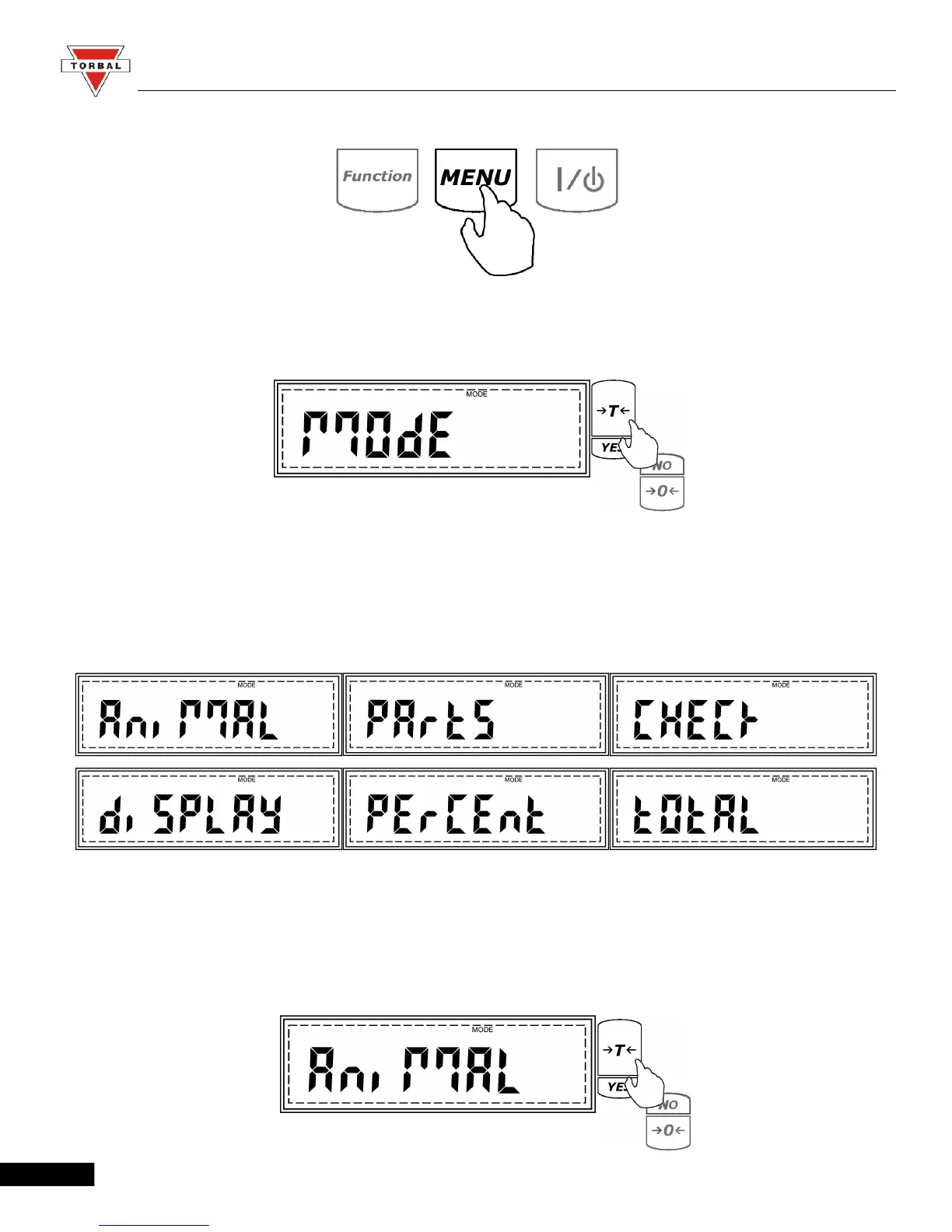
1. Enter the Main Menu by pressing the “MENU” key.
2. When MODE is displayed press the “T” (YES) key.
3. The application modes will now begin to display sequentially. Press the “T” key when the desired
application is displayed and follow the configuration steps for that mode.
Note: Scrolling through the options may be accelerated by pressing the 0 (NO) key.
(A) Animal Weighing
1. To enable animal weighing, press the “T” (YES) key when ANIMAL is displayed.
25



 To Next Page