User's Manual
2-6
THE GRAND TOUR
Battery Pack The Battery Pack powers the computer when the AC
adaptor is not connected. The Replacing the Battery Pack
section in Chapter 6, Power and Power-Up Modes,
describes how to access the Battery Pack. Battery Packs
can be purchased from your TOSHIBA dealer to extend
the computer’s battery operating time.
Battery lock A sliding lock prevents inadvertent release of the Battery
Pack.
Speaker The speaker emits sound generated by your software as
well as audio alarms, such as low battery condition,
generated by the system.
Front with the display open
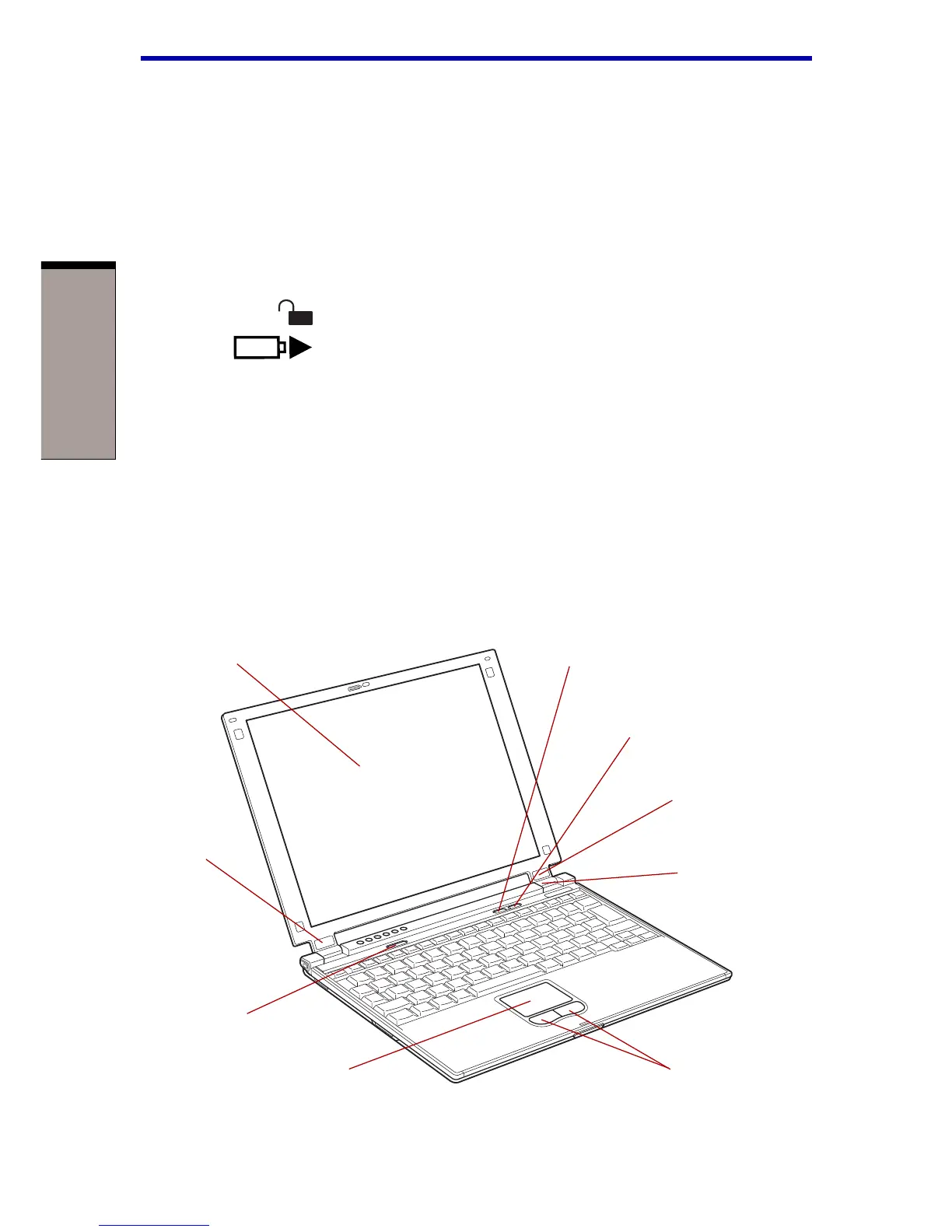
Figure 2-6 shows the front of the computer with the display open. To open the
display, push the display latch on the front of the computer and lift the display up.
Position the display at a comfortable viewing angle.
Figure 2-6 The front with the display open
DISPLAY SCREEN
POWER
BUTTON
TOSHIBA CONSOLE
BUTTON
INTERNET
BUTTON
DISPLAY
HINGE
DISPLAY HINGE
TOUCHPAD CONTROL BUTTONS
TOUCHPAD
SENSOR
SWITCH



 To Next Page
 Loading...



