3-3
G
ETTING STARTED
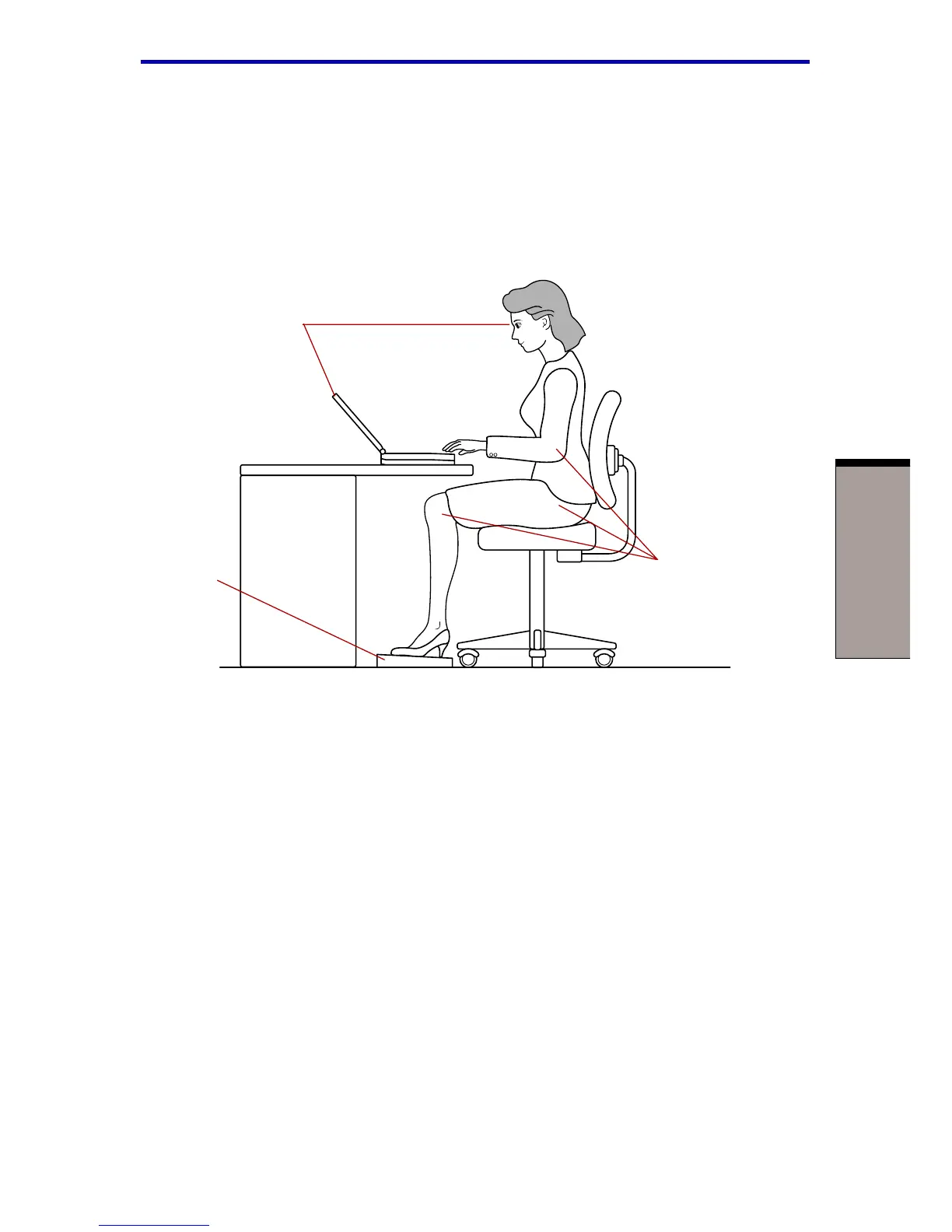
Seating and posture
The height of your chair in relation to the computer and keyboard as well as the
support it gives your body are primary factors in reducing work strain. Refer to the
following tips and to figure 3-1.
Figure 3-1 Posture and positioning of the computer
◆ Place your chair so that the keyboard is at or slightly below the level of your
elbow. You should be able to type comfortably with your shoulders relaxed.
◆ Your knees should be slightly higher than your hips. If necessary, use a foot
rest to raise the level of your knees to ease pressure on the back of your thighs.
◆ Adjust the back of your chair so it supports the lower curve of your spine.
◆ Sit straight so that your knees, hips and elbows form approximately 90 degree
angles when you work. Do not slump forward or lean back too far.
Lighting
Proper lighting can improve legibility of the display and reduce eye strain.
◆ Position the computer so that sunlight or bright indoor lighting does not reflect
off the screen. Use tinted windows, shades or other screen to eliminate sun
glare.
BELOW EYE LEVEL
90
O
ANGLES
FOOT REST
Setting up your work space



 To Next Page
 Loading...



