1‑1.Handlingofkeys
Key
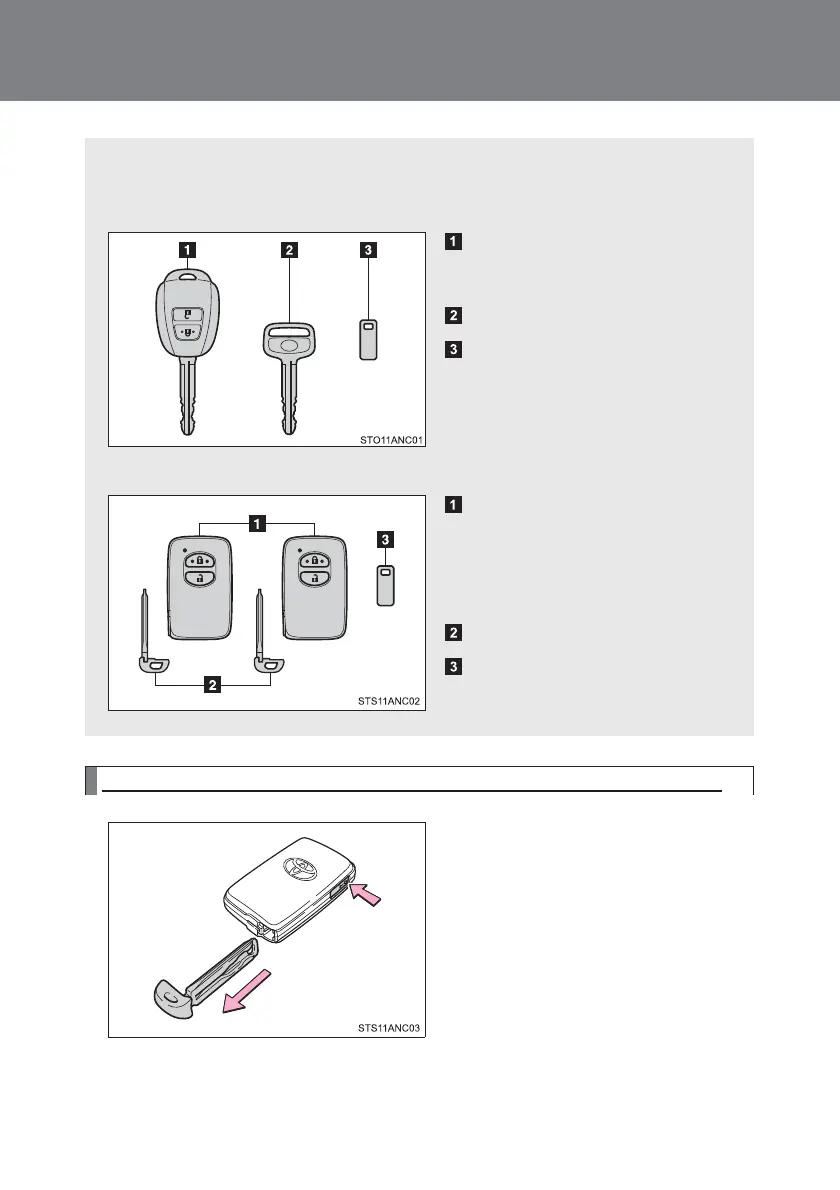
Wewillgiveyouthefollowingkey.
Vehicleswithoutsmartentry&startsystem
Key(withwirelessfunction)
Operationofwirelessfunction(P.38)
Key(withoutwirelessfunction)
Keylicenseplate
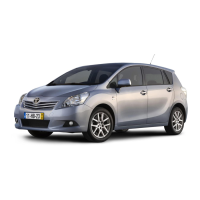
Vehiclesequippedwithsmartentry&startsystem
Electronickey
・Smartentry&star
Systemoperation(P.27)
・Operationofwirelessfunction
(P.38)
Mechanicalkey
Keylicenseplate
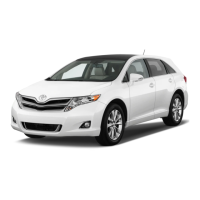
Tousethemechanicalkey(Vehiclesequippedwithsmartentry&startsystem))
Toremovethemechanicalkey
Pressthereleasebuttonandremovethekey
vinegar
Afteruse,putitbackanduseitwiththeelectronickey.
Pleasecarryitwithyou.Electronickey
Whenthepondrunsoutorsmartent
Lee&Startsystemworksnormally
Needamechanicalkeywhenitdoesn'twork
Willbe. (P.349)
twentyfour


 To Next Page