- 26 -
Gateway - (Optional) Enter the gateway IP address in dotted-decimal notation provided by
your IS P.
Primary DNS Server/Secondary DNS Server- (Optional) Enter one or two DNS addresses
in dotted-decimal notation provided by your ISP.
MTU (Bytes) - The normal MTU (Maximum Transmission Unit) value for most Ethernet
networks is 1500 Bytes. It is not recommended that you change the default MTU size unless
required by your ISP.
Enable IGMP Proxy - IGMP (Internet Group Management Protocol) is used to manage
multicasting on TCP/IP networks. Some ISPs use IGMP to perform remote configuration for
client devices, such as the modem router. The default value is enabled, and if you are not
sure, please contact your ISP or just leave it.
Click the Save button to save your settings.
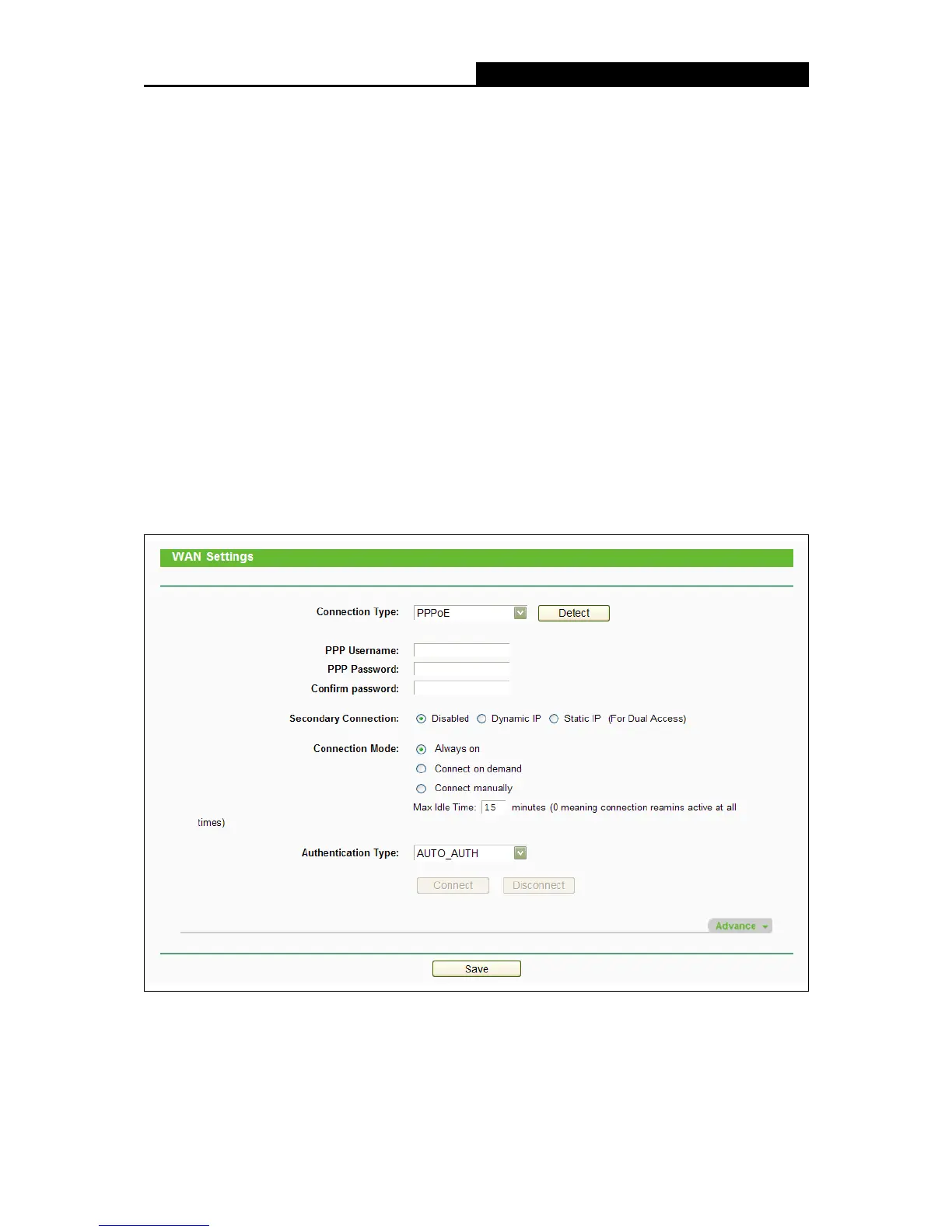
3. If your ISP provides a PPPoE connection, select PPPoE option. And you should enter the
following parameters as follows:
Username/Password - Enter the User Name and Password provided by your ISP. These
fields are case-sensitive.















 To Next Page