- 76 -
for the router's password. After successfully entering the username and password, you will
be able to access the router's web-based utility.
2. Be sure to change the router's default password to a very secure password.
4.13 Parent Control
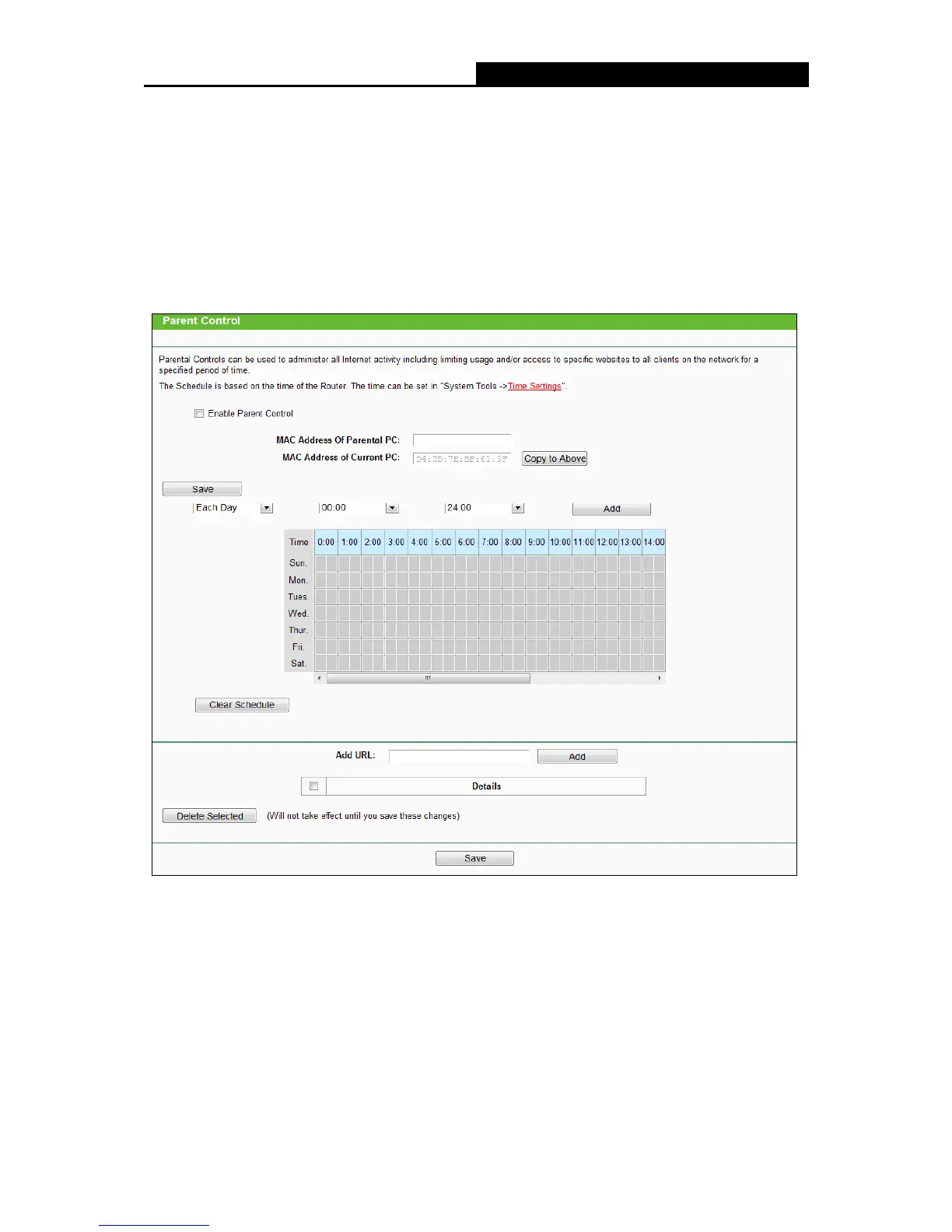
Choose menu “Parent Control”, and then you can configure the parent control in the screen as
shown in the following figure. The Parent Control function can be used to control the Internet
activities of the child, limit the child to access certain websites and restrict the time of surfing.
Parent Control - Check Enable if you want this function to take effect; otherwise, check
Disable.
MAC Address of Parental PC - In this field, enter the MAC address of the controlling PC, or
you can make use of the Copy To Above button below.
MAC Address of Current PC - This field displays the MAC address of the PC that is
managing this router. If the MAC Address of your adapter is registered, you can click the
Copy To Above button to fill this address to the MAC Address of Parental PC field above.
Click the Save button to make your settings take effect.















 To Next Page