AC1200 Wireless Dual Band Gigabit Router
Note:
It is possible that you have a computer or server that has more than one type of available service.
If so, select another service, and type the same IP address for that computer or server.
To modify or delete an existing entry:
1. Find the desired entry in the table.
2. Click Edit or Delete as desired on the Edit column.
Click the Enable/ Disable Selected button to make selected entries enabled/ disabled.
Click the Delete Selected button to delete selected entries.
Note:
If you set the service port of the virtual server as 80, you must set the Web management port on
Security
Remote Management page to be any other value except 80 such as 8080.
Otherwise there will be a conflict to disable the virtual server.
4.11.2 Port Triggering
Choose menu “Forwarding
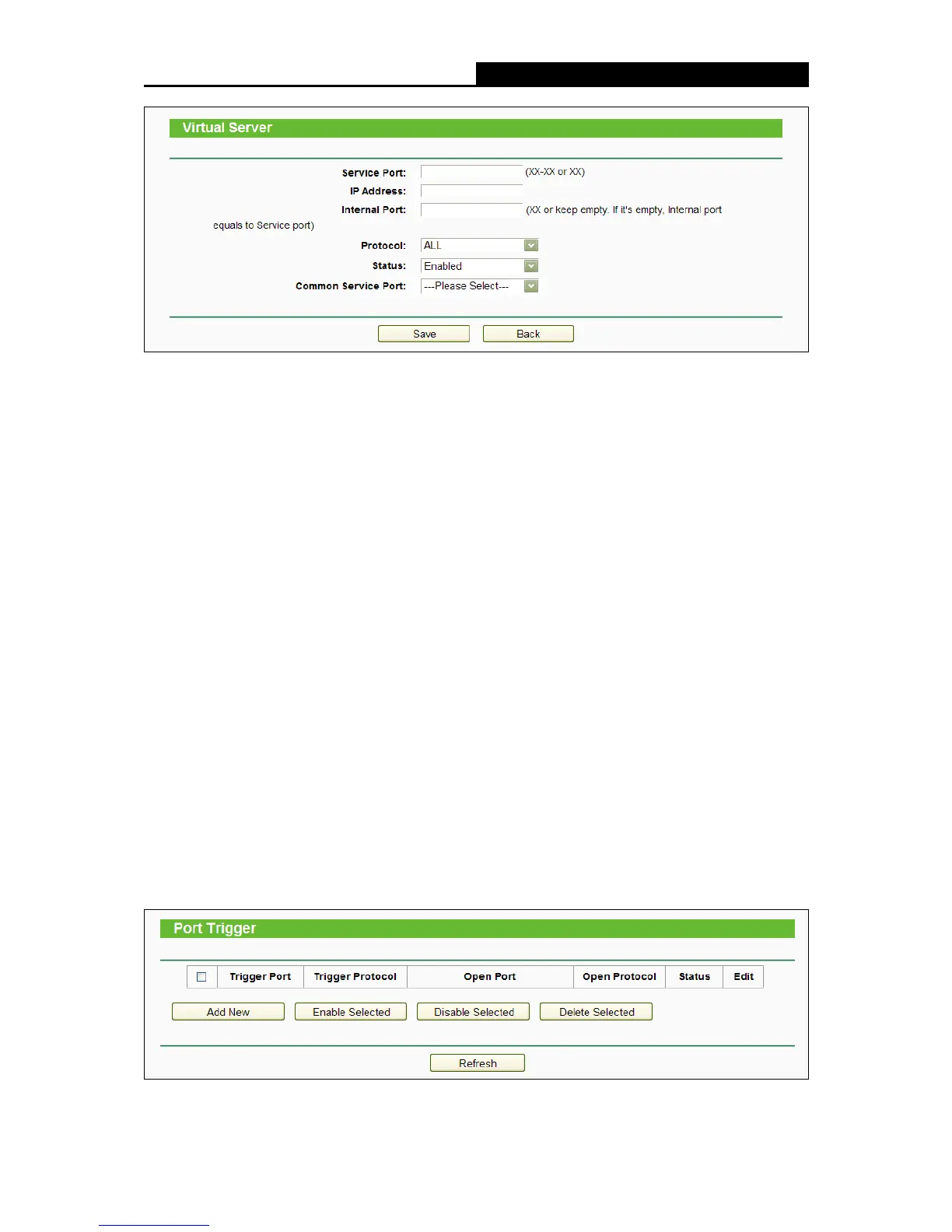
Port Triggering”, you can view and add port triggering entry on this
page in the following figure. Some applications require multiple connections, like Internet games,
video conferencing, Internet telephoning and so on. Port Triggering is useful for those applications
that cannot work with a pure NAT router.















 To Next Page