- 79 -
4.14 Access Control
There are four submenus under the Access Control menu: Rule, Host, Target and Schedule.
Click any of them, and you will be able to configure the corresponding function.
4.14.1 Rule
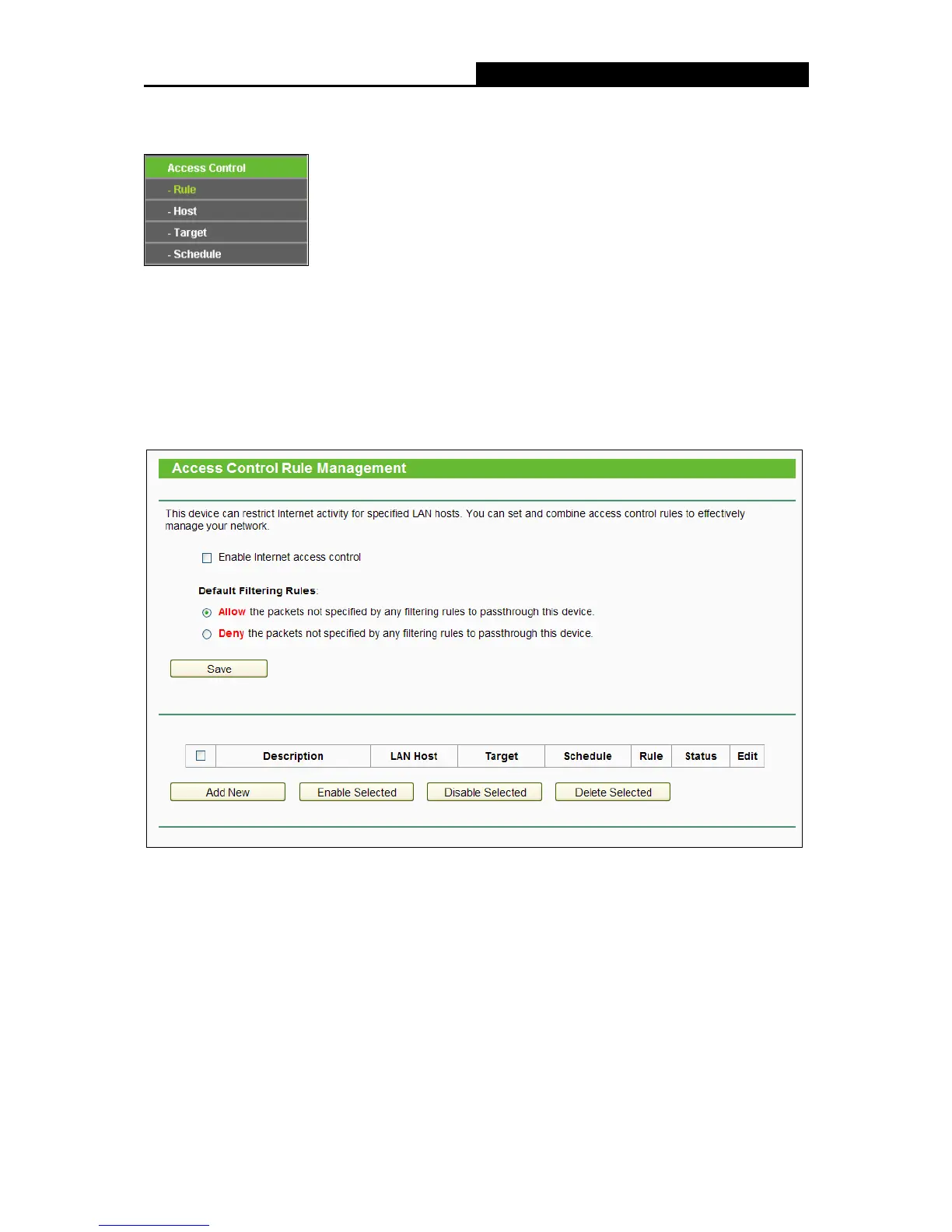
Choose menu “Access Control
Rule”, and then you can view and set Access Control rules in
the screen as shown in the following figure.
Enable Internet Access Control - Select the check box to enable the Internet Access
Control function, so the Default Filter Policy can take effect.
Description - Here displays the name of the rule and this name is unique.
LAN Host - Here displays the host selected in the corresponding rule.
Target - Here displays the target selected in the corresponding rule.
Schedule - Here displays the schedule selected in the corresponding rule.
Enable - Here displays the status of the rule, enabled or not. Check this option to enable a
specific entry.















 To Next Page