- 84 -
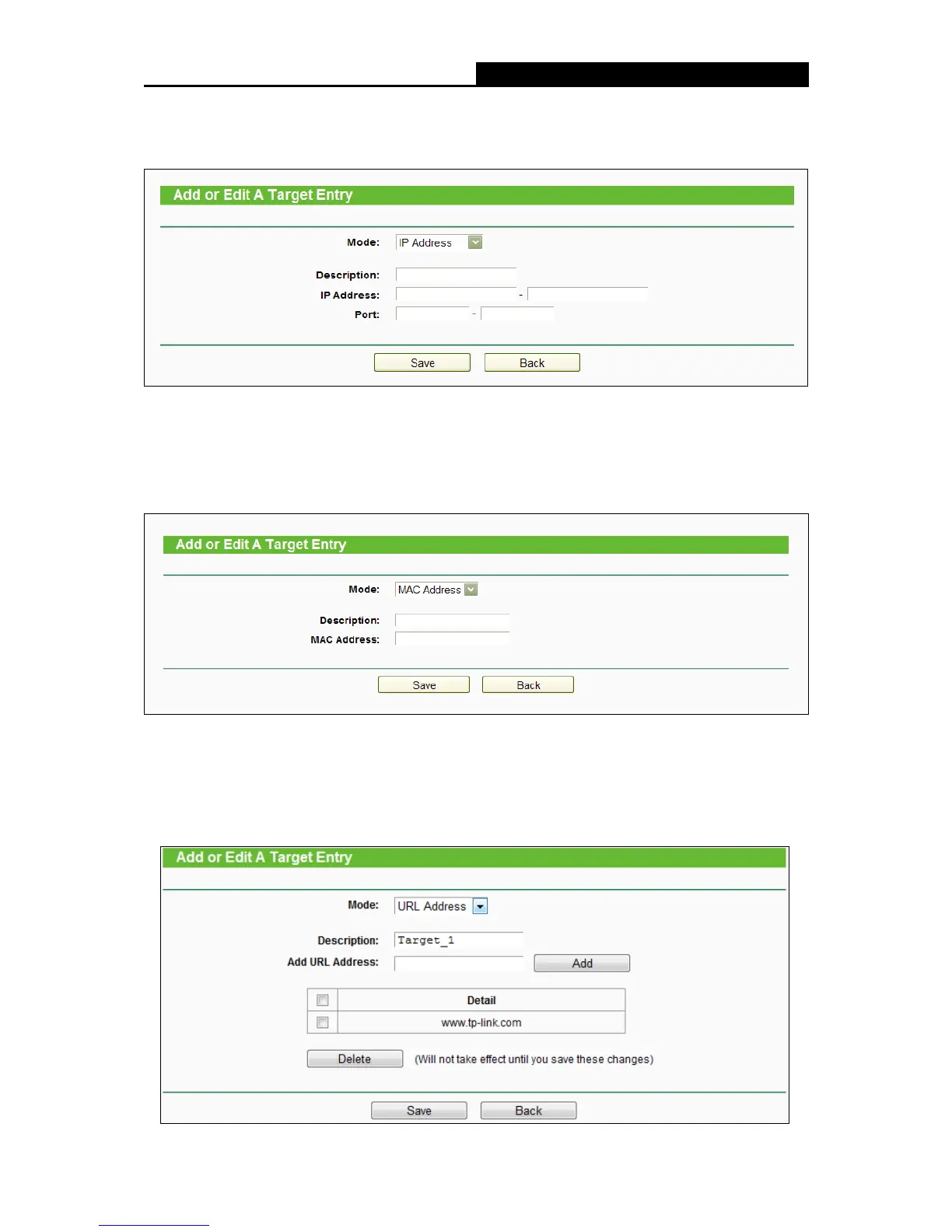
2. In Mode field, select IP Address, MAC Address or URL Address.
1) If you select IP Address, the screen shown is the following figure.
I) In Description field, create a unique description for the target (e.g. Target_1).
II) In IP Address field, enter the IP address of the target.
III) Specify the Target Port manually.
2) If you select MAC Address, the screen shown is the figure above.
I) In Description field, create a unique description for the target (e.g. Target_1).
II) In IP Address field, enter the IP address of the target.
III) Specify the Target Port manually.
3) If you select URL Address, the screen shown is the following figure.















 To Next Page