36
Chapter 7
Wireless Settings
For the 6 GHz network, you can select the Enable PSC checkbox. When PSC (Preferred
Scanning Channel) is enabled, only channels with higher connectivity will be reserved
to ensure 6 GHz device connections.
• To change the transmission mode:
1. Go to Advanced > Wireless > Wireless Settings.
2. For the 2.4 GHz and 5 GHz networks, disable Smart Connect, then select a transmission
Mode according to your wireless client devices. It is recommended to just leave it as
default.
The 6 GHz network only supports 802.11ax mode, which cannot be changed.
7. 2. Schedule Your Wireless Function
The wireless network can be automatically off at a specific time when you do not need
the wireless connection.
1. Visit http://tplinkwifi.net, and log in with your TP-Link ID or the password you set for
the router.
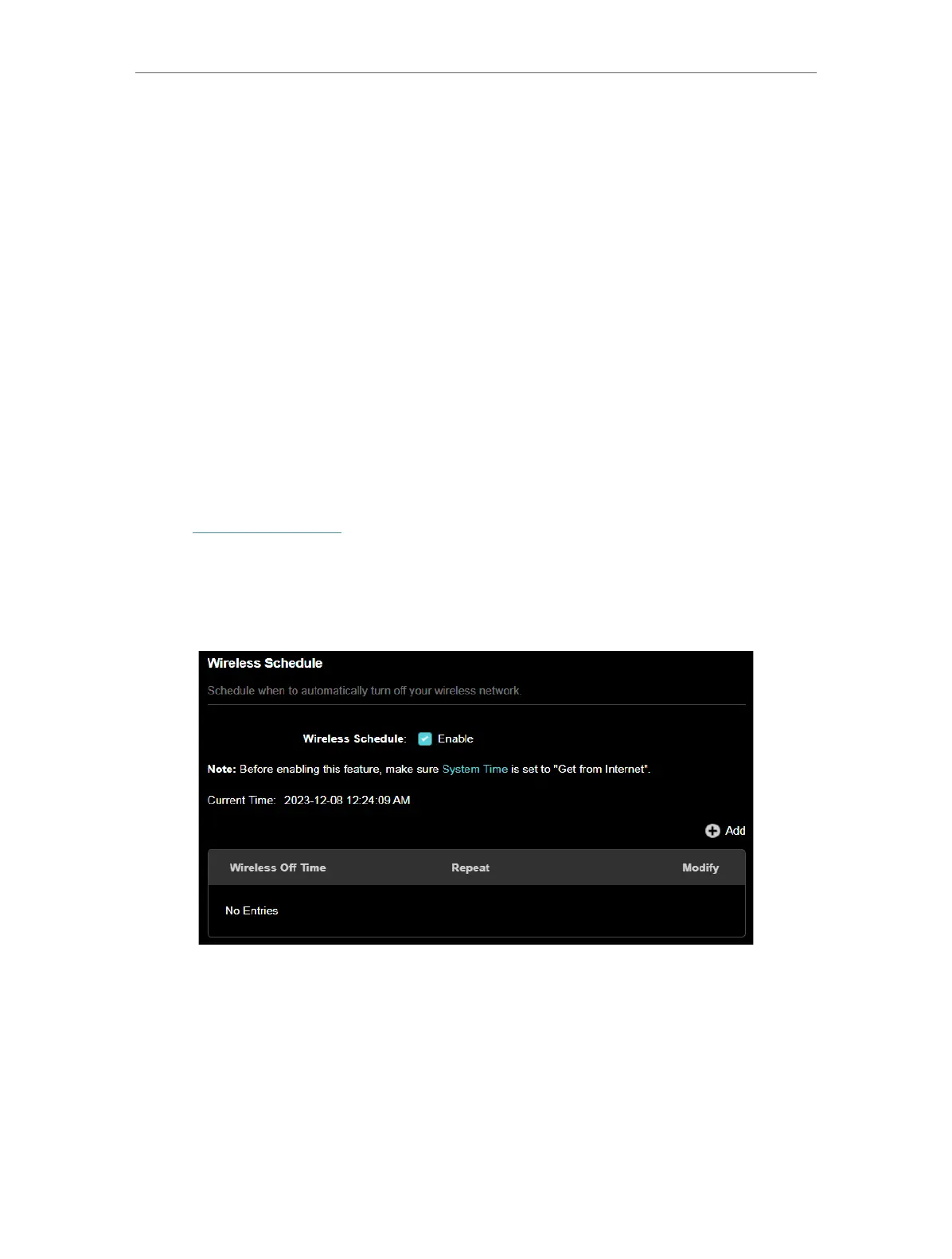
2. Go to Advanced > Wireless > Wireless Schedule.
3. Enable the Wireless Schedule feature.
4. Click Add to specify a wireless off period during which you need the wireless off
automatically, and click SAVE .













 To Next Page