- 6 -
2.3.1 Standard Wireless Router Mode
Create an instant private wireless network and share Internet to multiple Wi-Fi devices. This mode
is suitable for hotel rooms and home networks. (Note: if the hotel’s Internet has an authentication
process, you will need to authenticate only once and only on one device.)
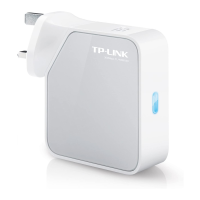
Figure 2-1 Hardware Installation of the TL-WR810N in Router Mode
1. Connect the LAN/WAN port of TL-WR810N to the LAN Port on the DSL/Cable Modem.
2. Connect the WAN port on the DSL/Cable Modem to the wired Internet.
3. Plug the power plug of TL-WR810N in electrical wall socket.
4. Power on the DSL/Cable Modem, PC(s) and notebook(s).
2.3.2 Access Point Mode
Create a wireless network from an Ethernet connection. This mode is suitable for dorm rooms or
homes where there's already a wired router but you need a wireless hotspot. (Note: if the hotel’s
Internet has an authentication process, you will need to authenticate it on EACH device.)
Figure 2-2 Hardware Installation of the TL-WR810N in AP Mode


 To Next Page


