Data Setting Mode
21
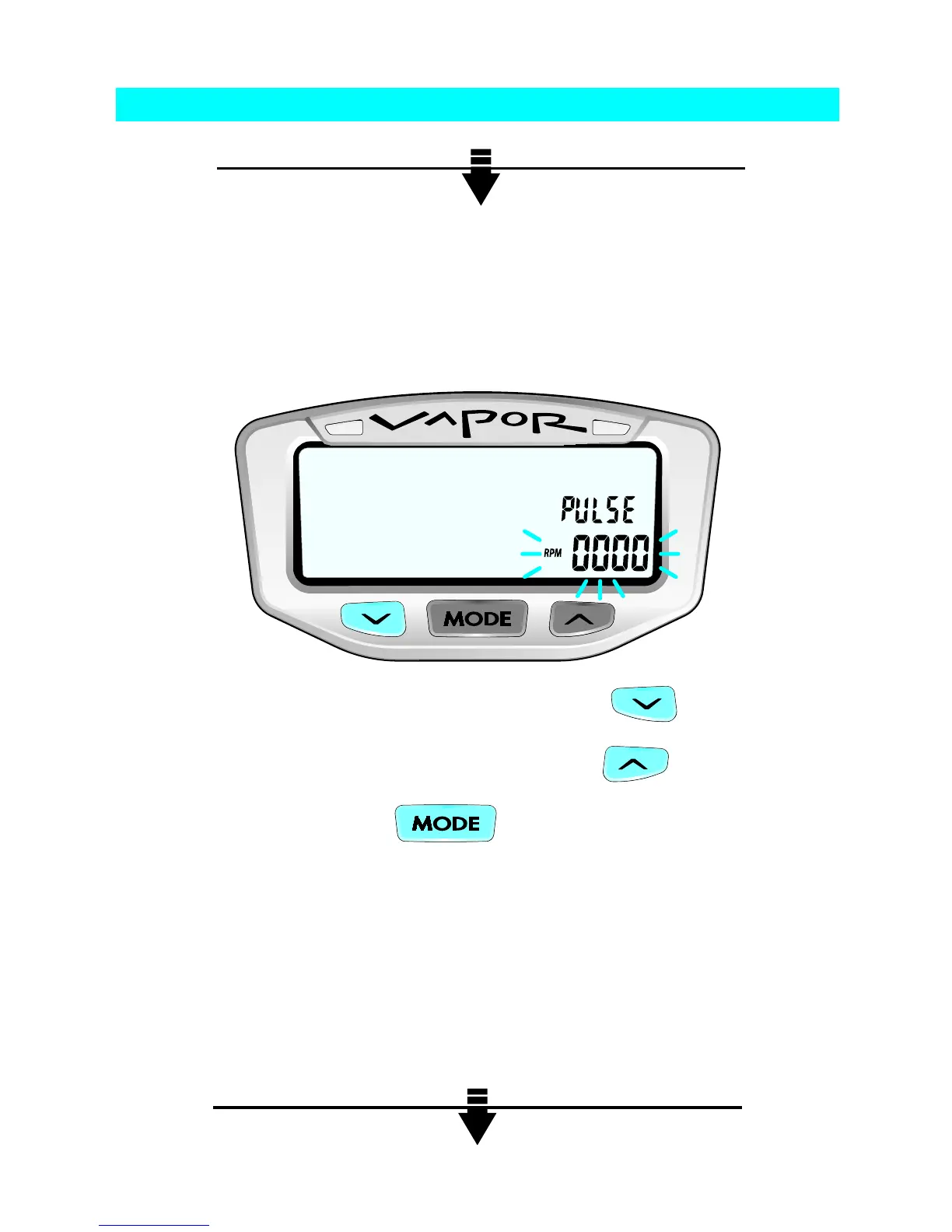
For most vehicles, press MODE to continue. Some vehicles change
PPR over a certain RPM. For these vehicles, change the displayed
RPM digits to the RPM at which the vehicle changes PPR.
MODIFY FLASHING DIGIT BY PRESSING
CHANGE TO NEXT DIGIT BY PRESSING
TO CONFIRM, PRESS
Vapor will go to the next setting.
Program Pulses per Revolution (PPR)
Step 2:


 To Next Page