EasyManua.ls Logo

Trane X13511542010 - User Manual

Trane X13511542010
32 pages
Print Icon
To Next Page IconTo Next Page
Loading...
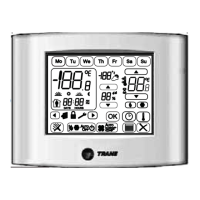
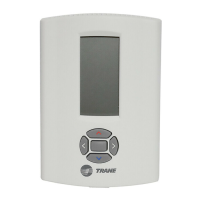
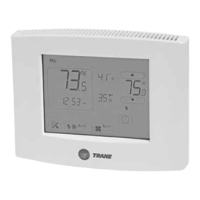
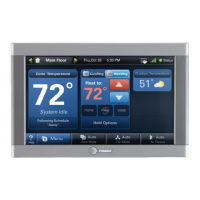
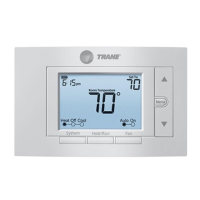
Trane Communicating Thermostats
for Heat Pump Control
BACnet MS/TP version X13511542010
User Guide
August 2020
BAS-SVU10C-EN
SAFETY WARNING
Only qualified personnel should install and service the equipment. The installation, starting up, and servicing of
heating, ventilating, and air-conditioning equipment can be hazardous and requires specific knowledge and training.
Improperly installed, adjusted or altered equipment by an unqualified person could result in death or serious injury.
When working on the equipment, observe all precautions in the literature and on the tags, stickers, and labels that are
attached to the equipment.

Questions and Answers

  • D
    David ElliottAug 7, 2025
    Why is there no display on my Trane X13511542010?
    • M
      mholdenAug 7, 2025
      A blank display on your Trane Thermostat can be due to a couple of reasons. First, check the power supply voltage between C and RC to ensure it's within the range of 19-30 Vac. Also, check for any tripped fuses or circuit breakers. Another potential cause is an overloaded power transformer. Make sure the transformer is powerful enough to supply all connected devices, including the thermostat.
  • R
    Ruth WalkerAug 14, 2025
    What to do if my Trane X13511542010 will not call for heating?
    • A
      andrew71Aug 14, 2025
      If your Trane Thermostat isn't calling for heat, several factors could be at play. First, ensure that the thermostat is set to heating mode and not Unoccupied mode. If it's in Unoccupied mode, select Occupied Hold in Schedule hold or Override to force the thermostat to the Occupied heating setpoint. Also, the anticycle delay might be active; wait for it to end. Check that the heating setpoint is higher than the current temperature. Verify that the heating lockout hasn't been activated; change the configuration parameter H Lock to 120°F (49°C) to bypass it. Finally, a wiring error could be the issue; try starting the fan by forcing it ON and putting a jumper across terminals RH and W1. If heating doesn't start, check the wiring and see if a jumper is needed between RC and RH.
  • D
    Dominique PaceAug 22, 2025
    How to fix a Trane Thermostat that won't call for cooling?
    • M
      michael28Aug 22, 2025
      If your Trane Thermostat isn't calling for cooling, there are a few things to check. Begin by ensuring that the thermostat is in cooling mode and not in Unoccupied mode. If it is in Unoccupied mode, switch to Occupied Hold in Schedule hold or Override to enforce the Occupied cooling setpoint. The anticycle delay might also be active, so wait for it to finish. Verify that the cooling setpoint is lower than the current temperature. Also, check if the cooling lockout is enabled; change the configuration parameter C Lock to -40°F (-40°C) to bypass it. Lastly, a wiring problem could be the cause; start the fan by forcing it ON and place a jumper across terminals RC and Y1. If cooling doesn't start, double-check the wiring.
  • B
    Bryan ValentineAug 30, 2025
    Why does my Trane X13511542010 temperature setpoint revert to the original value?
    • T
      tracy44Aug 30, 2025
      If your Trane Thermostat's temperature setpoints are reverting, it's likely because the temporary setpoint option is selected. To ensure your new setpoint is kept, the thermostat needs to be in Permanent setpoint mode. Go to the Set temperature menu, and at the last prompt, set the setpoint type to Permanent.

Summary

Introduction and Safety

Safety Warnings and Environmental Practices

Covers safety advisories (WARNING, CAUTION, NOTICE) and discusses environmental concerns and responsible refrigerant handling.

Personal Protective Equipment (PPE) and EHS Policies

Details required PPE and Trane's EHS policies for safe operation and adherence to regulations.

Document Information

Copyright, Trademarks, and Revision History

Information on document ownership, trademarks, and version updates.

Product Overview

Features, Benefits, and Theory of Operation

Explains the thermostat's features, benefits, and the underlying adaptive logic control algorithm.

Features Overview

System Features and Programmable Digital Inputs

Highlights system features like remote sensing, lockouts, and details programmable digital input functions.

Heat Pump Model Specific Features

Heat Pump Operation and Control Parameters

Details specific features for heat pumps, including stages, balance points, and interlocks.

Installation

Preparation, Location, and Procedure

Covers pre-installation tasks, optimal thermostat location, and the step-by-step installation process.

Screw Terminal Arrangement and Wiring Considerations

Explains screw terminal layout and key wiring requirements for installation.

Detailed Wiring Diagram Models

Wiring Diagram Illustration

Presents a comprehensive wiring diagram illustrating connections between thermostat terminals and system components.

User Menu Flow Chart

Menu Navigation and Flow Diagram

Illustrates the user menu sequence and navigation paths for setting parameters.

Status Display Instructions

Auto-Scroll Display and Alarm Indications

Describes the auto-scrolling display, alarm conditions (Frost ON, Service, etc.), and LED indicators.

User Programming Instructions Menu

Keypad Functions and Programming Guide

Details the function of each key and provides guidance for programming the thermostat.

The User Menu Sequence

Menu Settings and Descriptions

Explains specific menu settings like Override, Resume scheduling, and Permanent setpoint changes.

Temporary Setpoint Changes

System Mode and Fan Mode Settings

Guides users on setting the system mode (Auto, Cool, Heat) and fan mode (On, Auto, Smart).

Installer Configuration Parameter Menu

Initial Configuration Parameters (Password, Address, Inputs)

Details parameters like Password, Com addr, Digital Inputs (DI1, DI2), and Menu Scroll for installer configuration.

Installer Configuration Parameters (Part 2)

Lockout, Scheduling, and Setpoint Limits

Covers keypad lockout levels, scheduling options, power-up delay, and heating/cooling setpoint limits.

Installer Configuration Parameters (Part 3)

Anti-Short Cycling, Stage Control, and Deadband

Details parameters for anti-short cycling, heating/cooling cycles per hour, and deadband settings.

Installer Configuration Parameters (Part 4)

Lockout, Timing, and Balance Point Settings

Explains parameters for outside air temperature lockout, unoccupied timer, and balance point settings.

Installer Configuration Parameters (Part 5)

Heat Pump Interaction Modes

Details parameters for Comfort/economy mode, reversing valve operation, and compressor/auxiliary interlock.

Troubleshooting Guide

Display, Keyboard, and Call Issues

Addresses display, keyboard, and heating/cooling call problems with corrective actions.

Fan Operation and Display Errors

Solves problems related to the thermostat not turning on the fan or displaying erratic segments.

Auxiliary Heat and Heat Pump Heating Problems

Guides on troubleshooting auxiliary heat not operating and heat pump issues in heating mode, including reversing valve.

Specifications

Technical Specifications Overview

Covers power, operating conditions, sensor, control accuracy, setpoint ranges, and agency approvals.

Drawings and Dimensions

Thermostat Physical Dimensions and Diagrams

Provides detailed physical dimensions of the thermostat through diagrams.

Trane X13511542010 Specifications

General IconGeneral
Model NumberX13511542010
Backup BatteryYes
TypeThermostat
CompatibilityTrane systems
Voltage24V
DisplayLCD
ProgrammableYes
Stages2

Related product manuals