Upgrade Firmware: Use this function to keep your DrivePro up to date with the latest version
from Transcend (available on the Transcend website http://tw.transcend-info.com/Support/DLCenter).
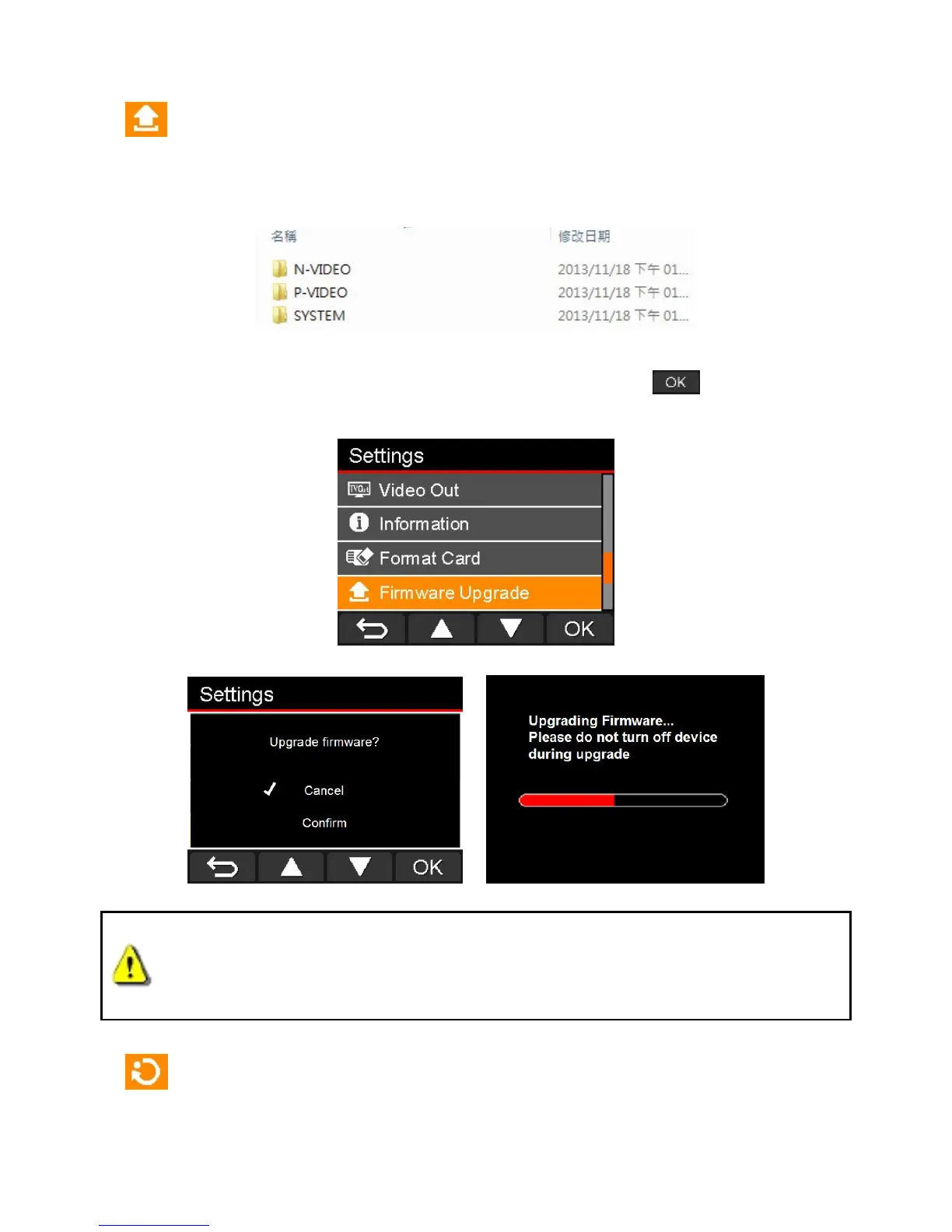
1. After downloading firmware from Transcend website, decompress it and then put it in the
“SYSTEM” folder in microSD memory card.
2. Insert the microSD memory card that contains a newer version of firmware.
3. Select Upgrade Firmware from the Settings menu and press to start the firmware
detection process. The DrivePro will automatically find the new firmware file.
WARNING: NEVER remove the power cord or the microSD memory card while the
firmware is being upgraded.
If firmware upgrade fails and the DrivePro will not turn on, please contact Transcend customer
support.
Restore Defaults: Reset all settings to factory default settings.
Available options: No / Yes















 To Next Page