EasyManua.ls Logo

TREND CDJ600 - CDJ600 Sliding Edge Guide Stops

TREND CDJ600
50 pages
Print Icon
To Next Page IconTo Next Page
To Previous Page IconTo Previous Page
Loading...
CDJ600
-9-
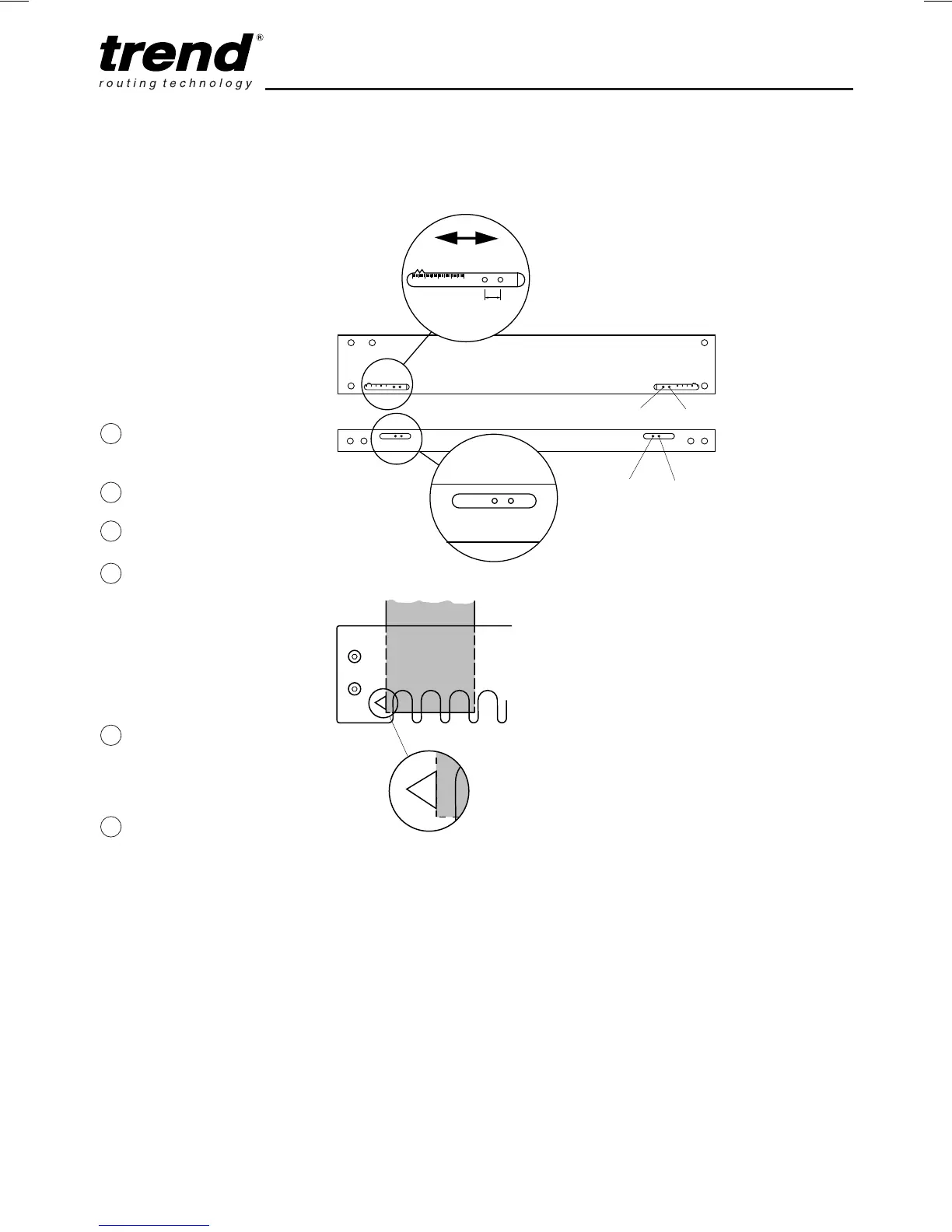
CDJ600 Sliding
Edge Guide Stops
Adjustment
The CDJ600 has sliding
stops. This enables the
workpiece to be centred,
giving a symmetrical
dovetail joint.
The sliding stop has a
scale to allow a more
precise offset to be
calculated to ensure
symmetrical joints.
Loosen knob. Move
sliding stop away
from centre of jig
Loosely fit workpiece
under top clamp.
Fit comb assembly
and tighten knobs
Move workpiece so
that edge lines up
with edge of sight
hole on template - for
lapped, dowel and
through dovetails
only. For other
templates see
appropriate section.
Lock top clamp bar
knobs. Slide sliding
stop towards edge of
workpiece and lock in
position with knob.
Repeat for other side.
CDJ600 Middle
Clamp Bar Knobs
Middle clamp bar knobs
are provided when using
workpiece less than
305mm. This ensures
workpiece is held
securely.
When using workpiece
over 305mm wide the
middle knobs must be
removed.
U2 U1
1 2 3 4 5
9.5mm
F2 F1
F1 F2
U1 U2
Top view
of jig
Side view
of jig
1
2
3
4
5
6
Workpiece

Related product manuals