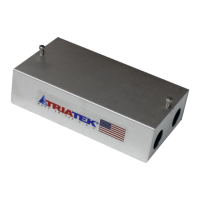
UVM-1000
LIT-12013155
2
Setup Overview............................................................................................................................................................................ 3
Introduction / Overview of Operation ........................................................................................................................................ 4
Overview of Operation ................................................................................................................................................................ 6
Installation and Setup ............................................................................................................................................................... 11
UVM to FMS165X-S-0-1 Start Up .............................................................................................................................................. 17
Wiring .........................................................................................................................................................................................17
UVM Conguration Tool ............................................................................................................................................................ 19
Before you begin .................................................................................................................................................................. 19
Overview of Lin Module Interface ......................................................................................................................................... 19
Installation .................................................................................................................................................................................. 20
Misc Tab ..................................................................................................................................................................................... 22
User Settings Tab ...................................................................................................................................................................... 23
User Cong Settings ............................................................................................................................................................ 24
User Settings Tab and CFM Table Tab .....................................................................................................................................27
CFM Table Tab ........................................................................................................................................................................... 28
CFM Table Tab and Dynamic Values Tab.................................................................................................................................29
Dynamic Values Tab .................................................................................................................................................................. 30
Dynamic Values Tab and Factory Cong Settings Tab .......................................................................................................... 32
Factory Settings Tab ................................................................................................................................................................. 33
Factory Settings Tab and Calibration Import Tab ................................................................................................................... 34
Table of contents


 To Next Page