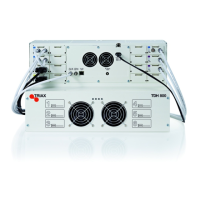
1. Insert SFP copper transceivers into the “Link 1“ and “Link 2”
sockets on the main headend and subunit headends.
2. Route a RJ45 Cat5e or better cable from the "Link 1" socket on the
main unit to the "Link 1" socket on subunit 1.
3. Route a RJ45 Cat5e or better cable from the "Link 2" socket on the
main unit to the "Link 1" socket on subunit 2.
4. Route a RJ45 Cat5e or better cable between the “Link 2” sockets
on both subunits.
5. Set the "ID switch" on the main headend and subunit headends to
the following:
Main unit = "3"
Subunit 1 = "1"
Subunit 2 = "2"


 To Next Page