13D01-060en202008 Manual nanoFlu
UseCalibration
Malfunction &
Maintenance
Introduction
General
Information
FAQ Technical DataWarranty
Customer
Service
Contact
Keyword
Index
Accessories
Commis-
sioning
nanoFlu // Commissioning
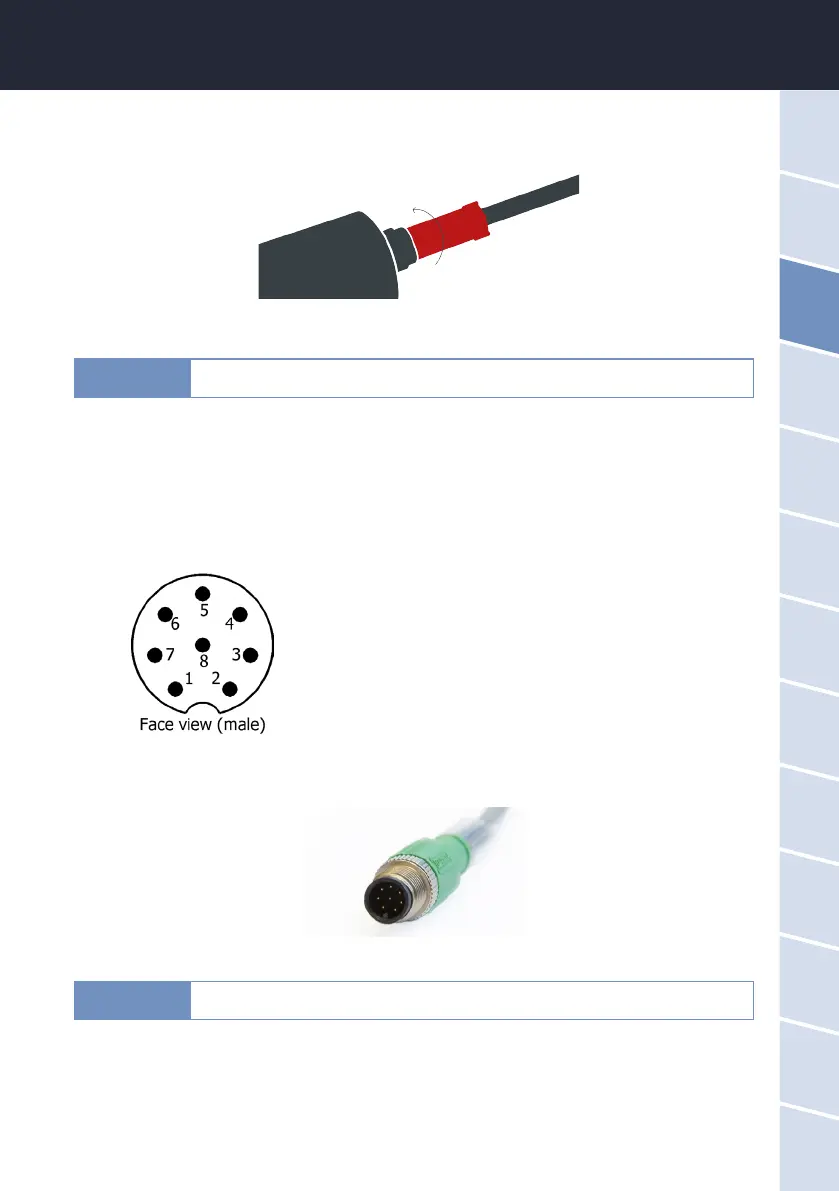
The next step is to hand-tighten the locking sleeve to secure the end of the connector into the bulkhead con-
nection.
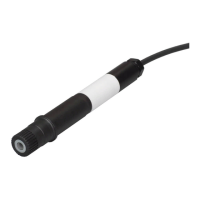
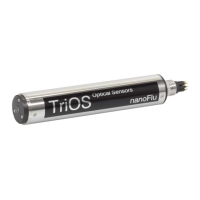
3.1.2. Fixed Cable with M12 Industrial Plug
1. RS232 RX / RS485 A (commands)
2. RS232 TX / RS485 B (data)
3. ETH_RX-
4. ETH_RX+
5. ETH_TX-
6. ETH_TX+
7. Ground (Power + Ser. Interface)
8. Power (12...24 VDC)
Do not twist or bend the connector when plugging or unplugging it. Insert the con-
nector straight in and use the locking sleeve to attach the male contact pin.
NOTICE
Ensure correct polarity of the operating voltage, because otherwise the sensor
may be damaged.
NOTICE


 To Next Page